

Senior Living CRM: Family Inquiries, Tours and Move-Ins in HighLevel
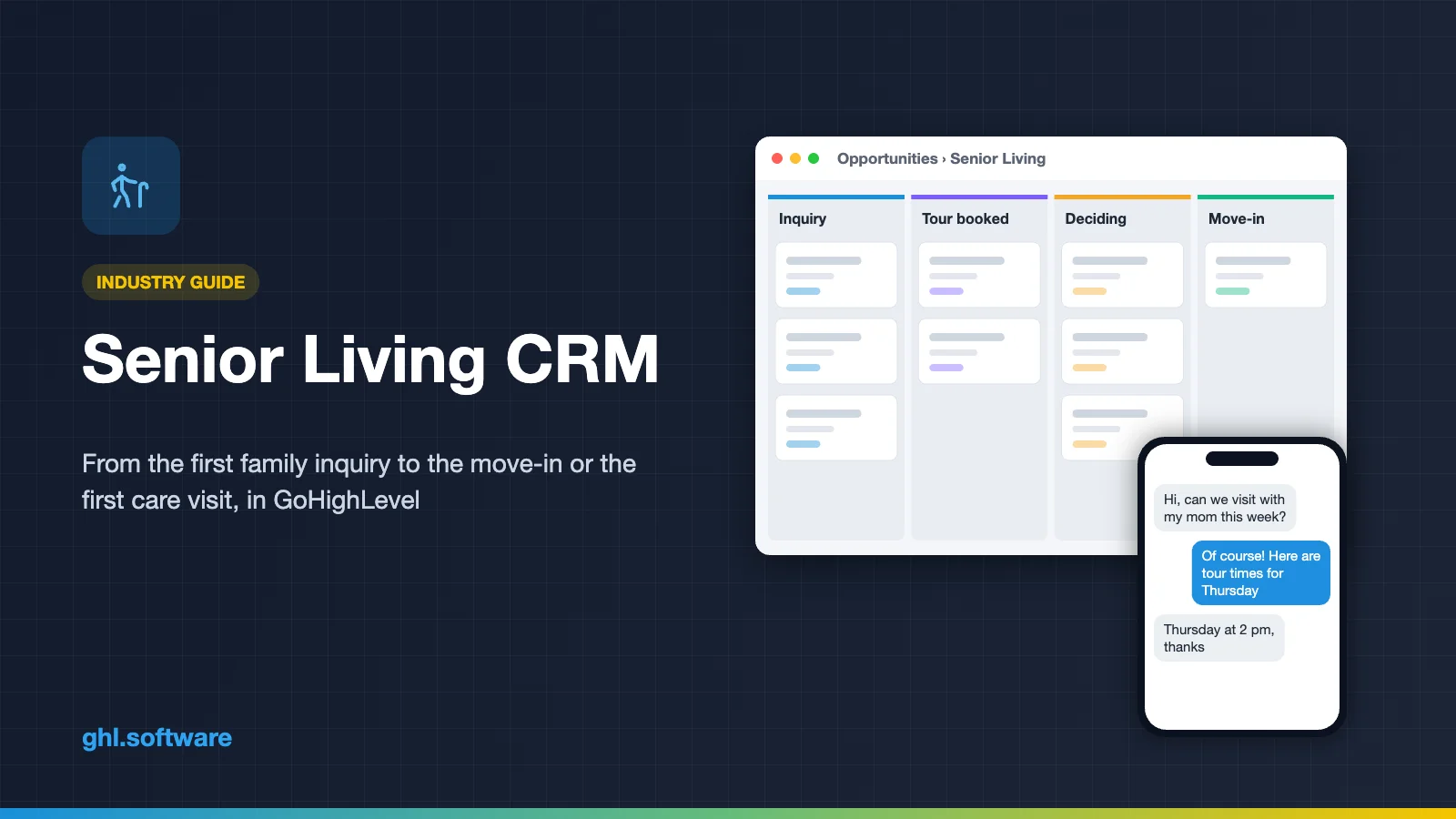
A senior living CRM should answer every family inquiry quickly, book tours, follow up patiently through a long decision and track which referral partners send residents. GoHighLevel covers that with missed call text back, tour calendars, nurture workflows and referral tracking, and the same setup works as a home care CRM for intake. However, it is not a clinical system, and if you store health information you need the HIPAA add-on ($297 a month).
Here is an illustrative scenario. On a Sunday night, a daughter who lives two states away fills in inquiry forms for three assisted living communities near her mother. One calls back on Tuesday, one sends a brochure by email, and one texts her within minutes with tour times and a short note that the whole family is welcome. Months later, that third community is the one she remembers, because it kept the conversation gentle and steady.
This guide is for sales and marketing teams at independent living, assisted living and memory care communities, for home care agencies, and for the agencies that serve them. It shows how GoHighLevel (HighLevel) runs inquiries, tours, follow-up and referrals, with honest notes on privacy and the limits of a marketing CRM.
Part of GoHighLevel by industry
Includes a free live setup class with a HighLevel coach.
Start free + bootcampAffiliate link.
What a senior living community needs from a CRM
Choosing senior living is rarely one person’s decision. The future resident, adult children and sometimes a hospital discharge planner or placement agent all play a part, and the process can stretch over months. A senior living CRM therefore has to respond fast at the first contact and then stay helpful for a long time without pressure.
Senior living CRM vs your clinical and resident software
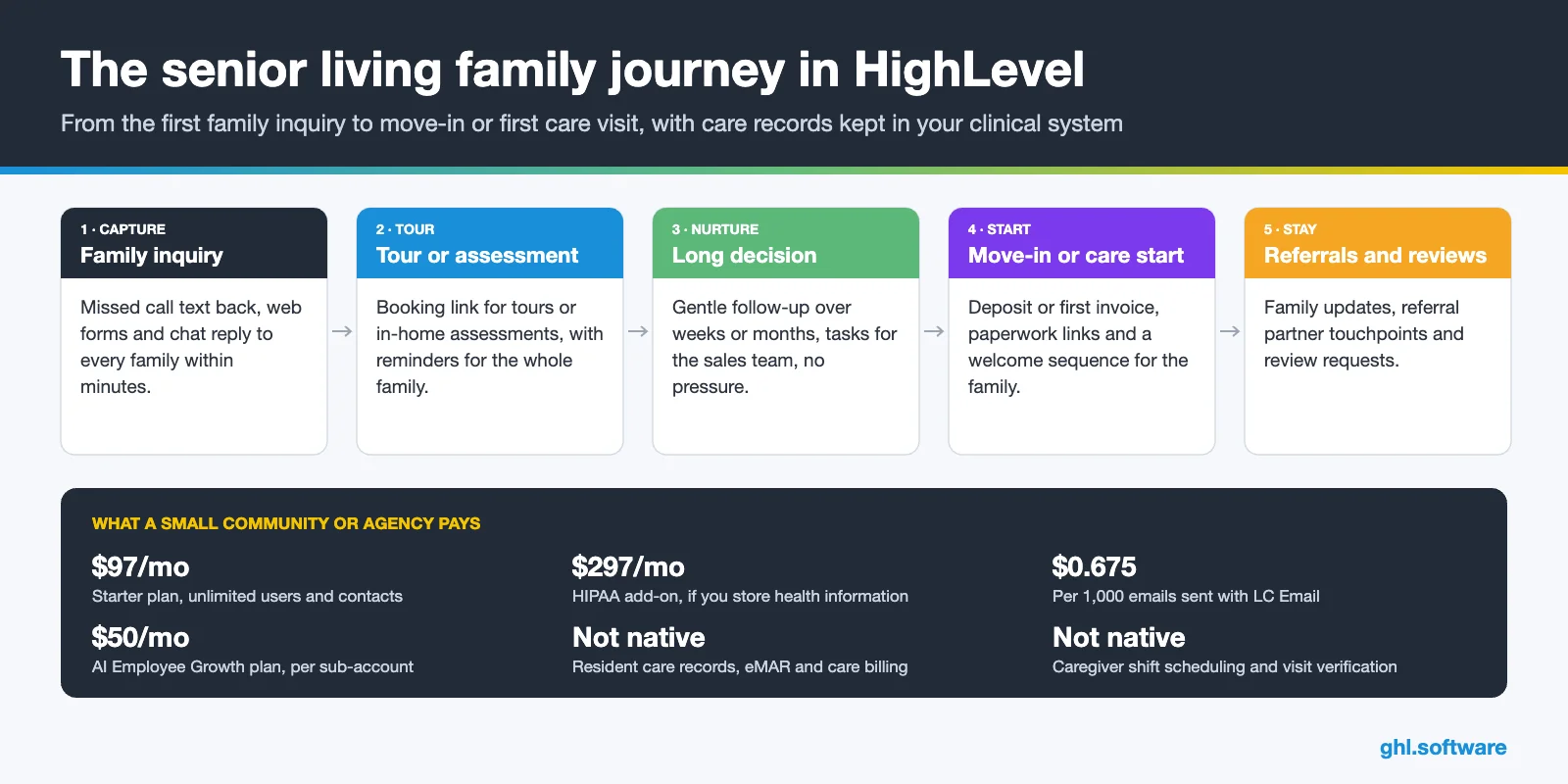
Senior living operators often already use a resident management or EHR platform, and home care agencies use scheduling and billing software built for care. Those systems hold care plans, medication records, staff schedules and billing. HighLevel sits in front of them as the sales and marketing layer, so the cleanest setup is to run both and keep health details out of marketing tools unless you have the HIPAA add-on in place.
| Task | Where it lives | Why |
|---|---|---|
| Answering inquiries by call, text and chat | HighLevel | Missed call text back, one inbox and AI replies |
| Tours, assessments and follow-up | HighLevel | Calendars and nurture workflows |
| Referral partner tracking | HighLevel | Tags, fields and reports by source |
| Care plans and medication records | Clinical system | Not a HighLevel feature |
| Caregiver schedules and payer billing | Care operations software | Not native in HighLevel |
| Family events and newsletters | HighLevel | Email and SMS marketing with consent |
Home care CRM: intake, assessments and caregiver recruiting
Home care agencies face the same family-led decision, but on a shorter clock. A family often calls after a hospital stay and needs help within days. So a home care CRM in HighLevel focuses on fast intake and on booking the in-home assessment.
- Intake in minutes. A short form or phone call creates the contact, and the intake coordinator gets an alert to call back.
- Assessment booking. A calendar with travel buffers books in-home assessments, with reminders to the family.
- Follow-up until care starts. A workflow checks in after the assessment, sends the service agreement link and stops once care begins.
- Caregiver recruiting pipeline. A second pipeline tracks applicants from application to interview to hire, with text reminders for interviews.
Scheduling shifts, visit verification and payer billing remain in your home care platform.
The senior living CRM pipeline: from inquiry to move-in
A clear pipeline helps the sales team see which families need a call today. Each card carries the prospect, the main family contact, the referral source and the expected move-in window. In HighLevel, each stage change in your senior living CRM can start a workflow.
| Stage | What moves the opportunity here |
|---|---|
| New inquiry | A call, form, chat, ad lead or referral creates the opportunity |
| Contacted | The sales team, or the AI, replies and learns the timing |
| Tour booked | The family books an in-person or virtual tour |
| Toured | The tour happened; notes and next steps are added |
| Deciding | The family is comparing options, so the nurture workflow runs |
| Deposit · move-in scheduled | The family commits and the move-in date is set |
| Moved in | The resident has moved in; lost or paused inquiries go to long-term nurture |
Separate boards for home care and recruiting
If you run home care, add a board with Inquiry, Assessment booked, Assessment done, Agreement sent and Care started. Recruiting gets its own board too. Keep the stage names simple, so new staff understand them on day one.
Three automations every senior living team should run
These senior living CRM workflows cover the moments where families slip away: the call nobody answered, the tour nobody followed up and the family that went quiet for a few months.
Inquiry → text back → booked tour
The trigger is a missed call or a submitted inquiry form. Right away, the family gets a warm text with tour times and a link to book, and an opportunity appears in “New inquiry”. If no tour is booked within an hour during office hours, the sales counselor gets a call task. As a result, every family hears from a person or a clear next step quickly, even on weekends.
After the tour: thank you and next steps
This workflow starts when the card moves to “Toured”. The same day, the family gets a thank-you text from the counselor. Two days later, an email recaps what they saw, answers common questions about costs and lists the next steps. On day five, the counselor gets a task to call. The workflow stops when the family books a second visit or commits.
Long-term nurture with permission
When a family says “not yet”, the card moves to “Deciding” and a slower sequence begins. Every few weeks, they get a helpful email, such as a guide to comparing care levels or an invitation to an open house, plus a personal check-in task every month. Any reply stops the sequence and alerts the counselor. Families who ask to stop hear nothing more, which protects your reputation.
Start with the pipeline from this guide, then add the automations one by one. The extended trial comes with our bootcamp link.
Start the 30-day trialAffiliate link. I may earn a commission at no extra cost to you.
Texting, calls and AI for senior living sales
Families call during lunch breaks, text late at night and message your Facebook page on weekends. HighLevel keeps SMS, email, calls, WhatsApp, Facebook and Instagram messages and web chat in one conversation per contact, so each counselor sees the whole history before calling back.
Conversation AI can answer common questions about tours, locations and visiting hours after hours, and Voice AI can answer the phone and book a tour. However, keep anything about care needs, health or pricing exceptions with a person, and do not let AI collect health details unless your HIPAA setup covers it. The AI Employee pricing guide explains the options.
How to set up GoHighLevel as your senior living CRM
Follow this order so the first inquiry already flows into a booked tour. Decide on privacy before you build any forms.
- Decide on HIPAA first. If forms, notes or messages will hold health information, add the HIPAA add-on and confirm its scope with HighLevel before going live.
- Create the sub-account. Use one sub-account per community or agency location, with users for each counselor and intake coordinator.
- Connect phone and A2P. Get a local number, register A2P 10DLC and turn on missed call text back.
- Add the right fields. Create fields for family contact, relationship, move-in window, care level interest and referral source, and avoid diagnosis fields.
- Build the pipelines. Sales for the community, plus home care and recruiting boards if you need them.
- Set up calendars. Create tour, virtual tour and assessment calendars with reminders.
- Turn on the three workflows. Start with inquiry response, then post-tour follow-up, then long-term nurture.
- Add referral reports. Build a dashboard of inquiries, tours and move-ins by source.
What a senior living CRM costs on HighLevel
HighLevel charges a flat plan price with unlimited users and contacts, so adding counselors or intake staff does not raise the bill. Plans run month to month with no contract. Usage is billed on top, and the HIPAA add-on matters more here than in most industries.
Here is an illustrative example for a single community that stores health information: Starter ($97), the HIPAA add-on ($297), the AI Employee Growth plan ($50) and 10,000 emails ($6.75) come to about $451 a month, before calls and texts at Twilio rates. Without health data in HighLevel, the same setup is about $154. Check current prices on HighLevel’s official pricing page, and see our pricing guide for the full breakdown.
GoHighLevel plans for a senior living CRM
| Starter | Unlimited | |
|---|---|---|
| Price | $97/month | $297/month |
| Sub-accounts | Up to 3 | Unlimited |
| Contacts and users | Unlimited | Unlimited |
| CRM, pipelines, workflows, calendars | Yes | Yes |
| Phone system, conversations, reviews, payments | Yes | Yes |
| Contract | No, month to month | No, month to month |
Usage and add-ons on top of the plan
| Item | Official price | When you pay it |
|---|---|---|
| HIPAA add-on | $297/month | If you store or send health information |
| Calls and SMS | Twilio rates | Every call and text on the phone system |
| Email (LC Email) | $0.675 per 1,000 emails | Newsletters, event invitations and workflow emails |
| $10/month per sub-account + Meta per-message fees | If families prefer WhatsApp | |
| AI Employee | $50 (Growth) or $97 (Unlimited) per month per sub-account, or pay-per-use | Conversation AI, Voice AI, Reviews AI and Content AI |
Honest limits: what stays in your care systems
As a senior living CRM, HighLevel helps you win and welcome families. However, it is not a care platform, so be clear about the gaps:
- No resident care records or eMAR. Care plans, assessments and medication records stay in your clinical system.
- No care billing or payer claims. Private pay invoices are possible, but long-term care insurance and payer billing are not built in.
- No caregiver shift scheduling or visit verification. Keep those in your home care platform.
- Not HIPAA-ready by default. Without the add-on, keep health details out of forms, notes and messages.
Features change often, so confirm details with each vendor before you decide.
Privacy and compliance notes for senior living marketing
The angle most senior living guides miss: the adult child is your real audience
Most marketing for senior living speaks to the future resident. Yet the person filling in the form is often an adult child juggling a job, a family and a parent who needs more help. That person reads messages at night, compares options quickly and needs practical answers more than glossy brochures.
So write your workflows for that reader. Send short texts with clear next steps, an email that explains the difference between care levels in plain words and a checklist for the first family meeting. Offer virtual tours for siblings who live far away, and let them book a call at a time that suits them.
That approach also fits a home care CRM, where the adult child usually arranges the first visit. Compare this setup with other industries in our industry guides, such as healthcare, or browse every module in the features hub.
Open a free account, load the pipeline and turn on the first automation today. The bootcamp walks you through the setup live.
Start the 30-day trialAffiliate link. I may earn a commission at no extra cost to you.
Frequently asked questions
What is a senior living CRM?
A senior living CRM keeps every inquiry, family member, tour, referral source and follow-up in one place. Its job is to answer families quickly, book tours, stay in touch through a decision that can take weeks or months and track which referral partners send residents. Resident care records, medication and care billing belong in a clinical or operations system, not in the CRM.
Is GoHighLevel HIPAA compliant for senior living?
Not by default. HighLevel offers a HIPAA add-on for $297 a month. If your inquiry forms, notes or messages will contain health information, ask HighLevel what the add-on covers, including a business associate agreement, before you collect that data. Otherwise, keep forms limited to contact details, preferred move-in timing and the type of community or service.
Can I use HighLevel as a home care CRM?
Yes, for intake and marketing. A home care CRM in HighLevel answers family calls fast, books in-home assessments, follows up until care starts and keeps referral partners informed. It can also run a separate pipeline for caregiver applicants. Caregiver shift scheduling, visit verification, care plans and payer billing stay in your home care software.
How long should senior living follow-up last?
As long as the family is still deciding, with their permission. Many families tour several communities and wait for a health event, a house sale or a family meeting. So plan a nurture sequence over several months with useful content, invitations to events and a personal check-in from the sales team, and stop as soon as the family asks you to.
How much does a senior living CRM cost on HighLevel?
The Starter plan costs $97 a month and Unlimited $297, both with unlimited users and contacts and no contract. Add usage for calls and texts at Twilio rates, email at $0.675 per 1,000 and optional AI from $50 a month per sub-account. If you store health information, the HIPAA add-on adds $297 a month. Through our bootcamp link the free trial runs 30 days.
Can HighLevel track referral sources such as hospitals and placement agents?
Yes. Store each partner as a contact with a tag, add a referral source field to every inquiry and report on move-ins or care starts by source. A simple workflow can thank the partner when a referral arrives and remind your team to send an update. Share only what your privacy rules allow.
More industry guides
Sources: HighLevel pricing · HighLevel help: Missed Call Text Back · HighLevel help: A2P 10DLC registration