

GoHighLevel reputation management: review requests, Reviews AI and review widgets
Leer en español: Reseñas y reputación en GoHighLevel · Ler em português: Avaliações no GoHighLevel · Part of all GoHighLevel features
GoHighLevel reputation management is included in every plan: automated review requests by SMS, email and WhatsApp, a review link with Review Balancing, Google Business Profile connection and a widget that shows your Google and Facebook reviews on your website. Reviews AI replies to Google and Facebook reviews for $0.01 per reply, or unlimited with an AI Employee plan, and Online Listings costs $30/month.
Based on HighLevel’s reputation help articles and AI pricing, checked on October 23, 2026.
Two dental clinics on the same street do equally good work. One has 38 Google reviews, the other 412. Guess which one gets the call. The difference is rarely the quality of the work; it is whether someone asks every patient, every time, at the right moment.
GoHighLevel reputation management makes that ask automatic. A workflow sends the request when the job is done, follows up if the customer forgets, AI answers the reviews that come in and the best ones end up on your website and social media. This guide shows how each piece works, what it costs and how to set it up without breaking Google’s rules.
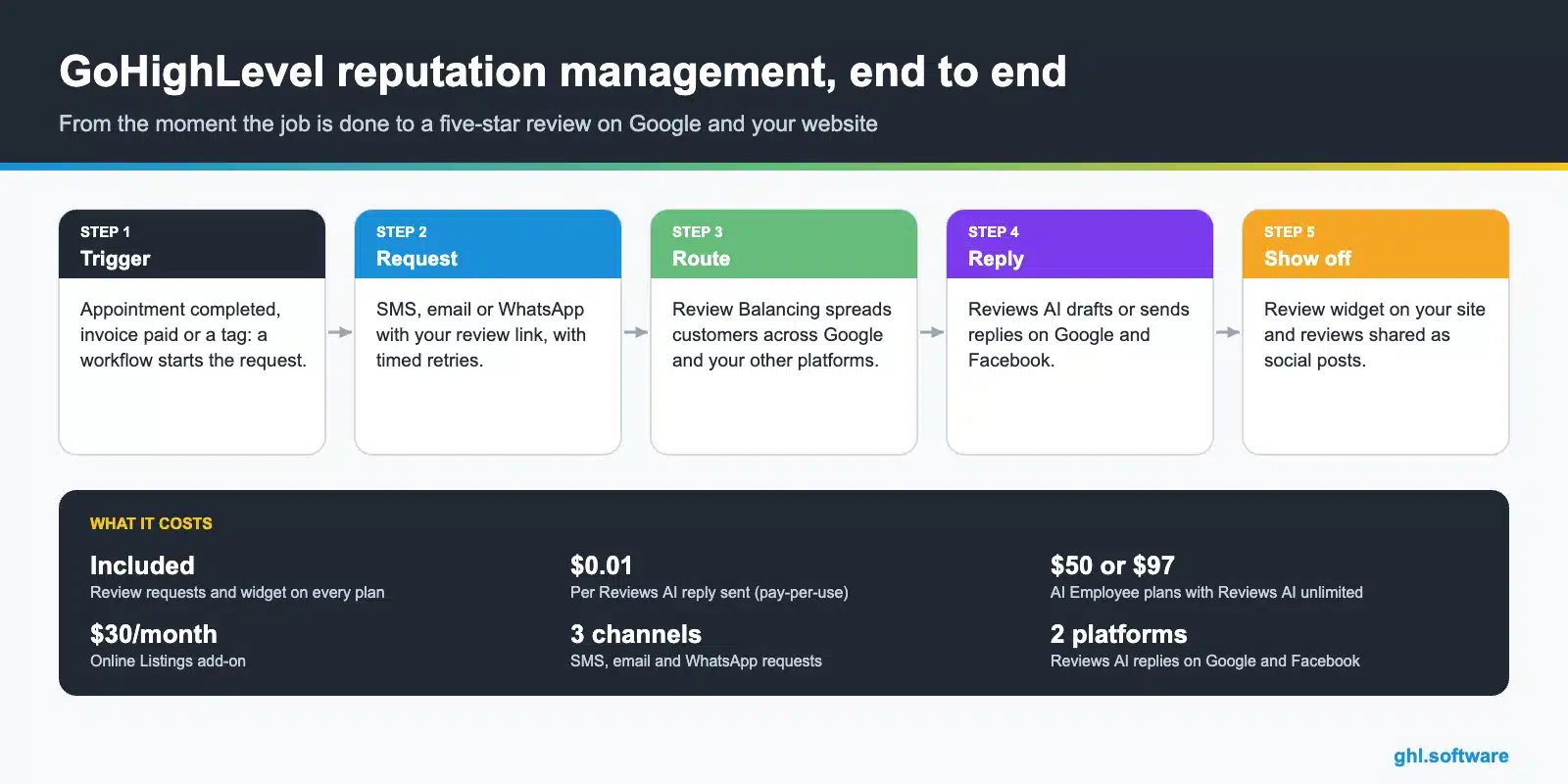
What is included
How to automate review requests
- Connect Google Business Profile. In Reputation > Settings, connect your profile and set up the review link.
- Set the request behavior. For SMS and email, choose when the first message goes out, how often to repeat it and the maximum number of retries. The repeats stop as soon as the customer clicks the link.
- Write short messages. One line, the customer's name, the link: "Thanks for coming in today, Maria! Would you leave us a quick review? ".
- Trigger it from a workflow. Appointment status completed, invoice paid or a "job done" tag, then the Send Review Request action. How workflows work.
- Reply to every review. Turn on Reviews AI in suggestive mode first; move to automatic replies once you trust the tone.
Google prohibits asking only satisfied customers for reviews. Send the request to everyone and use the follow-up to catch problems early, not to filter them out.
Reviews AI: replies on autopilot
| Mode | What it does | Best for |
|---|---|---|
| Suggestive | Drafts a reply you review, edit and send | The first weeks, or regulated businesses |
| Auto-response | Replies automatically following your rules (rating, tone, language, source, pages) | Businesses with many reviews a week |
On pay-per-use, each AI reply you send costs $0.01, and generating up to four suggestions per review is free. Reviews AI is unlimited on the AI Employee Growth ($50) and Unlimited ($97) plans. AI Employee pricing.
Five review workflows worth building
- After the appointment. Request two hours after the appointment is marked completed.
- After payment. Request when the invoice is paid, for service businesses that bill at the end.
- Reactivation. A one-time request to past customers who never left a review.
- Negative review alert. Notify the owner and create a task when a one- or two-star review arrives.
- Thank-you and referral. Thank five-star reviewers and invite them to refer a friend.
Who benefits most
Local service businesses
Dentists, contractors, salons and clinics, where reviews decide who gets the call.
Agencies
Reputation is an easy service to sell: the results are visible on Google within weeks.
Multi-location brands
One dashboard and the same request flow for every location.
The bootcamp link gives you 30 days instead of 14, enough to connect Google Business Profile, run a review campaign and see the results.
Start the 30-day trialAffiliate link. I may earn a commission at no extra cost to you. SMS and AI usage is billed during the trial.
Frequently asked questions
Does GoHighLevel have reputation management?
Yes. Every plan includes review requests by SMS, email and WhatsApp, a review link with Review Balancing, a review widget for your website and a Reputation dashboard. Reviews AI and Online Listings are paid extras.
How do I send review requests automatically in GoHighLevel?
Add the Send Review Request action to a workflow triggered by a completed appointment, a paid invoice or a tag. You can also send requests in bulk from Reputation > Requests or from a contact record.
Can GoHighLevel reply to Google reviews with AI?
Yes. Reviews AI drafts replies for you to approve or answers automatically by rules such as rating, tone and language, on Google and Facebook. It costs $0.01 per reply sent on pay-per-use and is unlimited on the AI Employee Growth and Unlimited plans.
Can I show my Google reviews on my website?
Yes. The review widget displays Google and Facebook reviews on HighLevel funnels and websites, and you can embed it on other sites with the code from the Reputation settings.
What is Review Balancing?
A review link setting that spreads customers across the review platforms you configure, so all your reviews do not land on a single site.
Is it allowed to ask only happy customers for reviews?
Google’s policies prohibit selectively soliciting positive reviews (review gating). Send your request to every customer and handle complaints quickly instead.
Related: automations · Social Planner · phone and SMS · GoHighLevel pricing · Prospecting and local SEO · Reporting and attribution
Sources: Review requests and the review widget (updated August 25, 2026) · Customizing the review widget · Reviews AI for Facebook replies · AI product pricing (updated October 20, 2026) · HighLevel Pricing Guide.

