

GoHighLevel funnel builder and websites (with WordPress hosting)
Leer en español: Embudos de venta y sitios web en GoHighLevel · Ler em português: Funis e sites no GoHighLevel · Part of all GoHighLevel features
GoHighLevel includes a drag-and-drop funnel builder and website builder in every plan, with templates, order forms, one-click upsells, A/B split testing, custom domains and Funnel AI. Every form on those pages feeds the CRM, so the follow-up starts the moment someone converts.
WordPress hosting is available as an add-on from $10/month. Checked October 23, 2026.
The first funnel most business owners build is not pretty. It is a page with a headline, a form and a hope that someone will call back the leads. The problem is rarely the page; it is everything that happens after the form. That is where the HighLevel builder is different from a standalone page builder: the page, the contact record, the calendar and the SMS that follows are all in the same account.
Here is what the Sites menu includes, how a funnel is put together, how to build your first one, and when you are better off with WordPress.
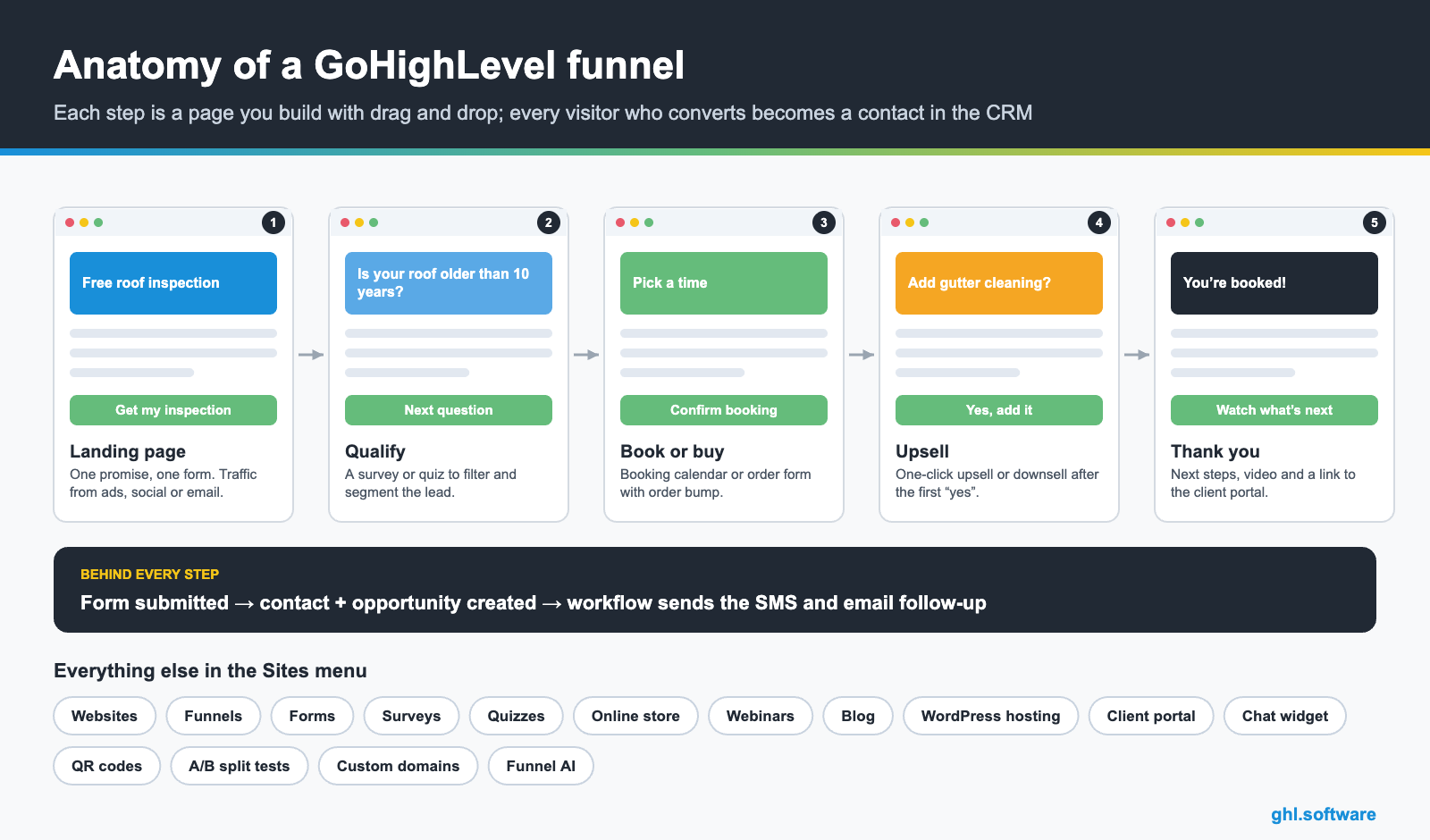
Funnels vs websites: which one do you need?
| Funnel | Website | |
|---|---|---|
| Structure | Linear steps: page 1 leads to page 2 | Multiple pages with a navigation menu |
| Best for | Lead magnets, booking, launches, offers | Your main brand presence, services, about, blog |
| Checkout and upsells | Yes | Possible, but funnels handle it better |
| A/B split testing | Yes | No |
| Typical example | Ad → landing page → booking → thank you | Home, Services, Reviews, Contact |
Most local businesses end up with one website and two or three funnels: one per offer or campaign.

What the builder can do
Build your first funnel step by step
- Write the offer before the page. One sentence: who it is for, what they get and what they must do. If you cannot write it, the page will not fix it.
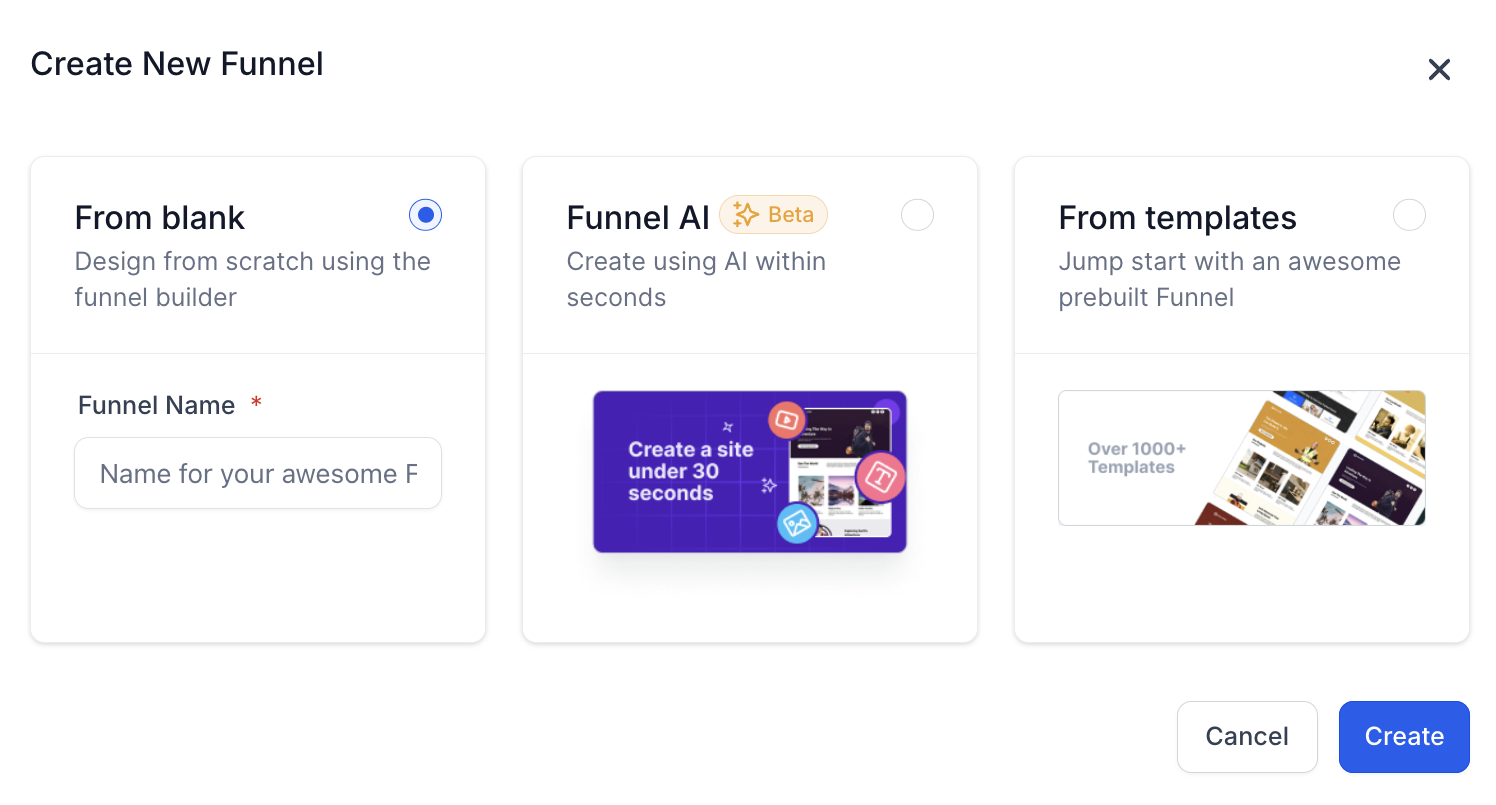
- Create the funnel. Go to Sites → Funnels → New funnel. Start from scratch, import a template or use Funnel AI.
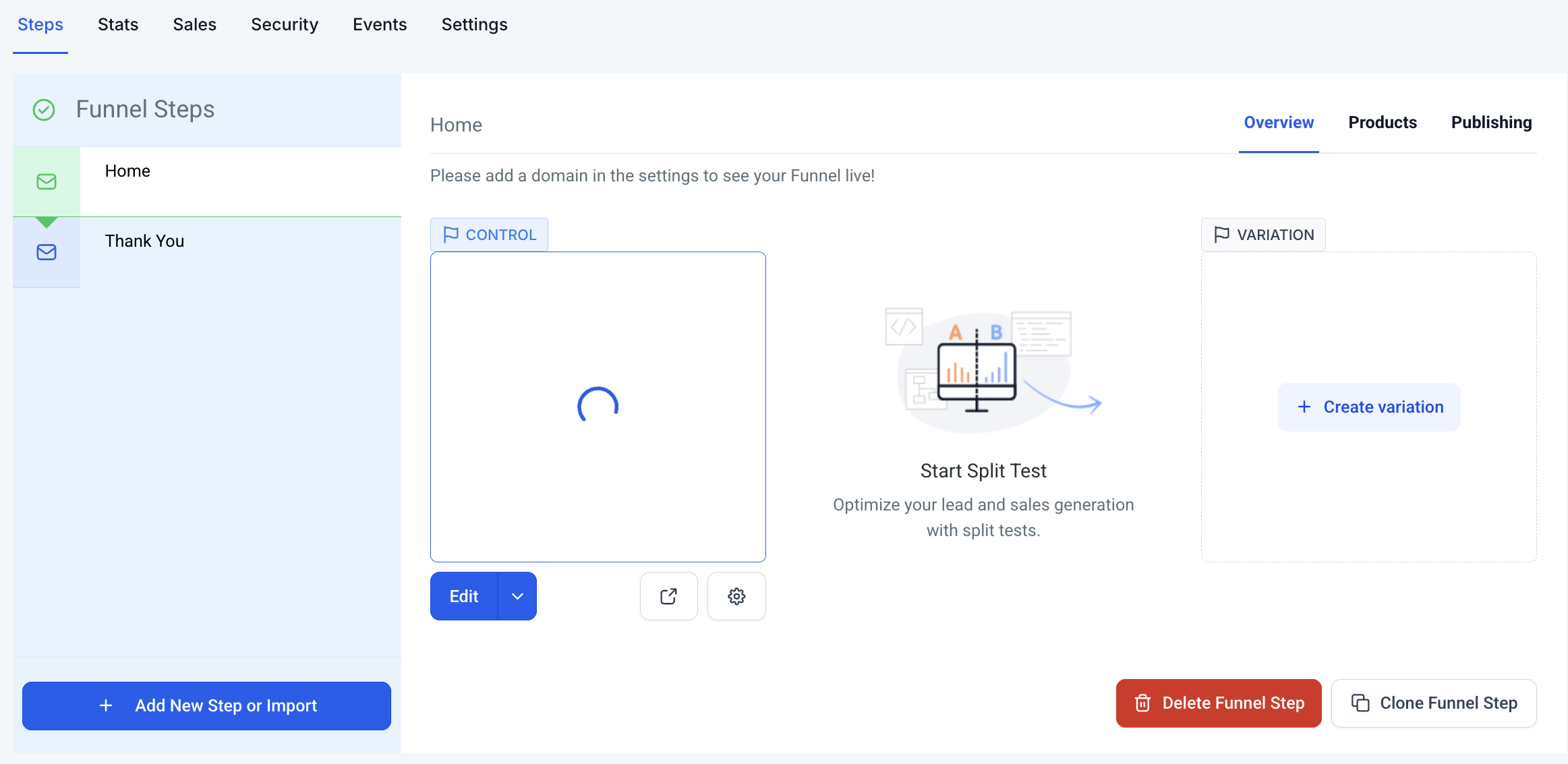
- Add the steps. Typically an opt-in page, a booking or order page and a thank-you page. Each step gets its own URL path.
- Design in the builder. Edit headline, images and the form. Check the mobile view: most of your traffic will see that version first.
- Connect the follow-up. Create a workflow with the trigger “Form submitted” that creates the opportunity, sends a confirmation SMS and email, and notifies you.
- Connect your domain and test. Assign your domain, submit the form yourself, and confirm the contact, the opportunity and the messages arrive.
Websites, templates and the blog
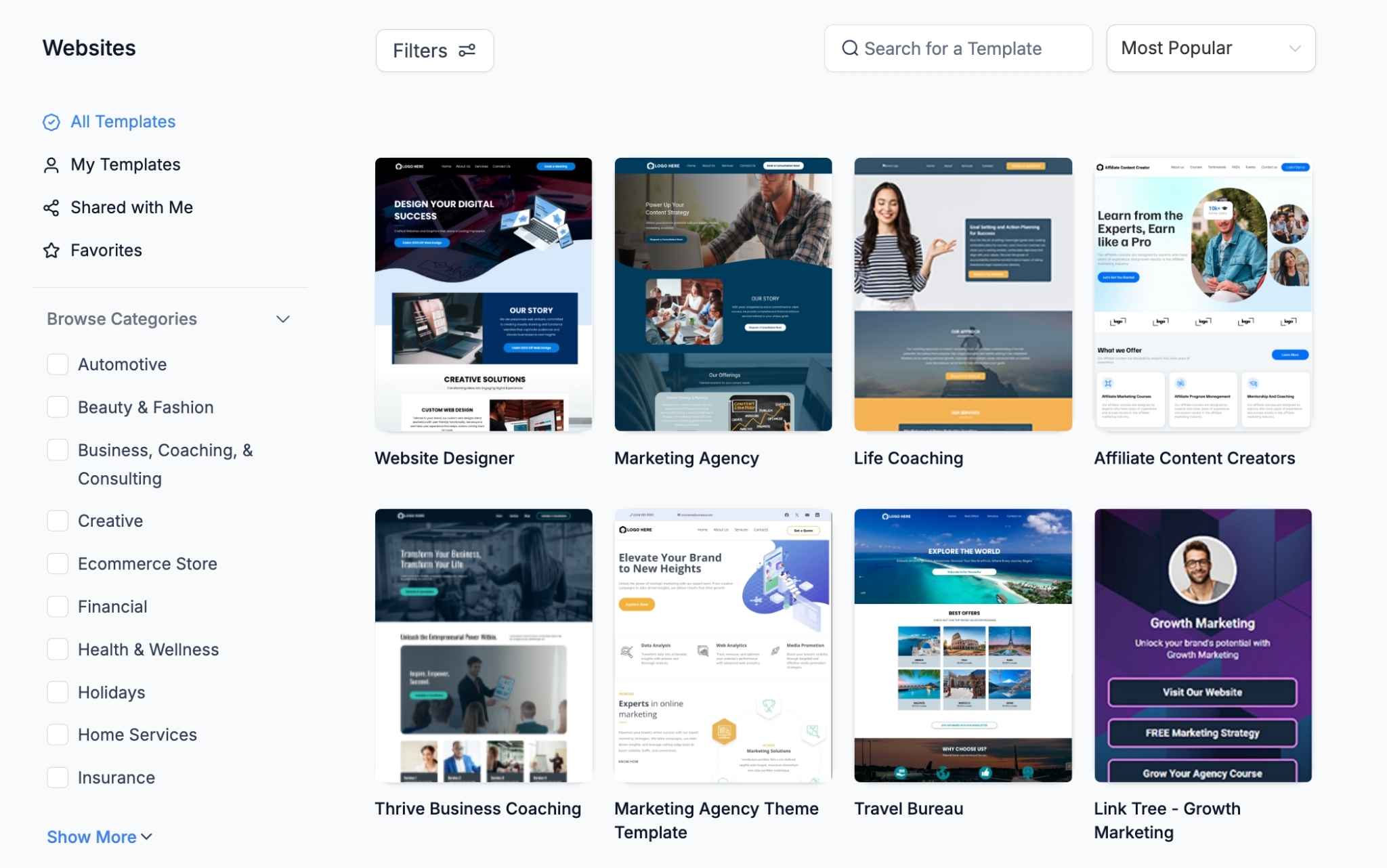
Websites use the same editor as funnels, with a navigation menu and as many pages as you need. There are templates by industry, and the built-in blog lets you publish posts with categories, featured images and SEO settings without leaving HighLevel.
When WordPress is the better choice
HighLevel pages cover titles, meta descriptions, alt text and sitemaps. If your business depends on organic traffic from dozens or hundreds of articles, WordPress still gives you more control over themes, plugins and technical SEO. HighLevel offers managed WordPress hosting from $10/month, so you can keep the blog on WordPress and the funnels, forms and follow-up in HighLevel, under one bill.
This site is an example
ghl.software itself runs on WordPress: a content site with many articles is where WordPress shines, while funnels, forms and follow-up are where HighLevel shines.
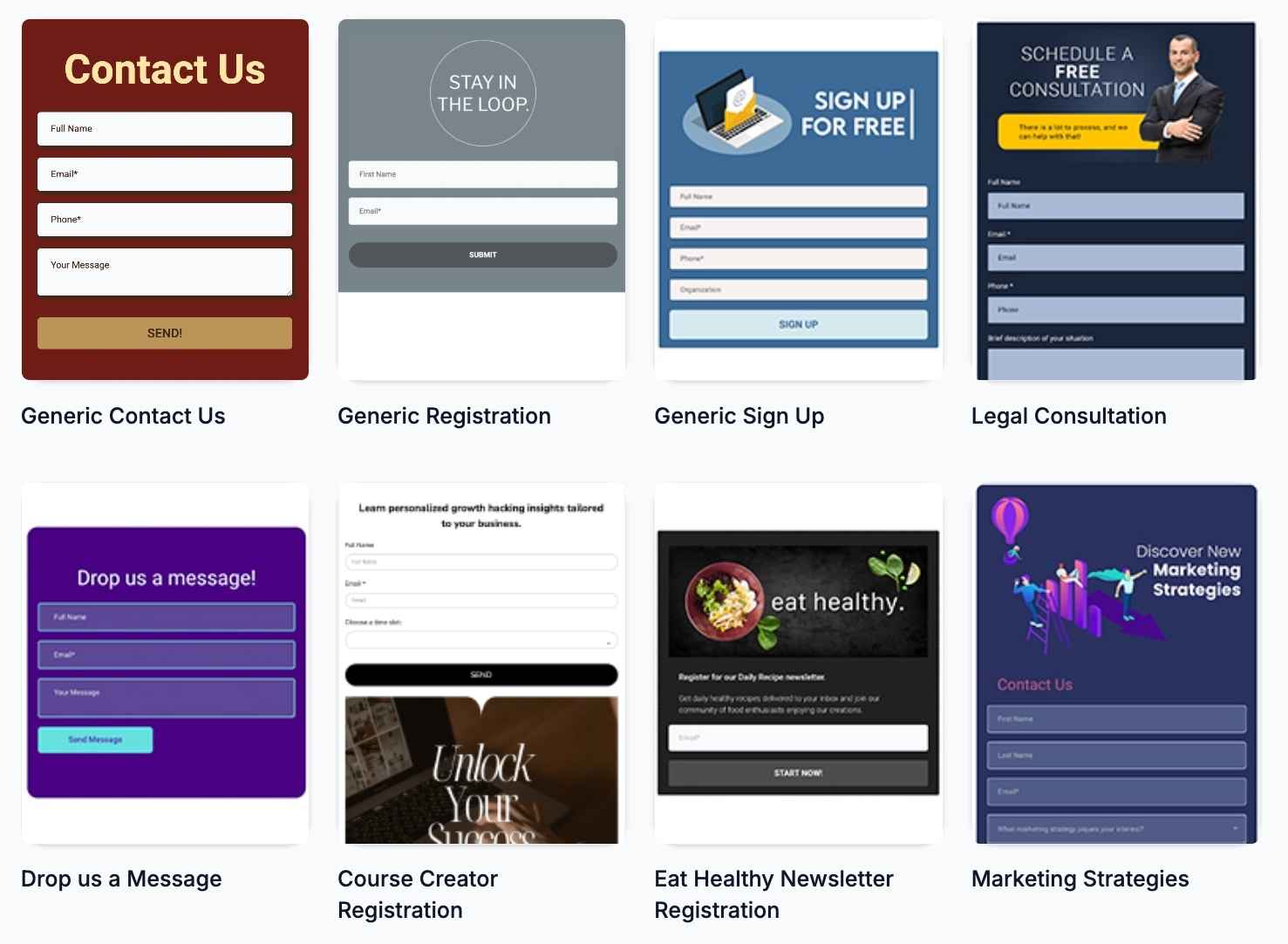
The rest of the Sites menu
GoHighLevel vs ClickFunnels
| GoHighLevel | ClickFunnels | |
|---|---|---|
| Funnel builder with templates | Included | Included |
| Order bumps and one-click upsells | Included | Included |
| Full CRM with pipelines | Included | Basic CRM |
| SMS, calls and WhatsApp built in | Included | No |
| Booking calendars | Included | Limited |
| WordPress hosting | ✓ (add-on) | No |
| White label for agencies | Included | No |
ClickFunnels plans are tiered by usage; check clickfunnels.com for current limits and prices.
More Sites tools: blog, chat widget, QR codes, timers, brand boards, WordPress and domains
Beyond pages and funnels, the Sites and Marketing menus hold a set of smaller tools that save you from paying for separate apps.
WordPress hosting is a paid add-on on top of your plan, with no contract, staging, daily backups and Cloudflare Enterprise CDN on every tier:
| Plan | Price | Includes |
|---|---|---|
| Standard | $10/mo ($9 billed yearly) | 1 site, 12 GB |
| Utility | $220/mo ($208 yearly) | 25 sites, 60 GB pooled |
| Unlimited | $497/mo ($414 yearly) | Unlimited sites, 500 GB pooled |
Sources: Getting Started with Blogs · Set up a Live Chat Widget · QR Code Generation and Download Guide · Dynamic Countdown Timer · How to Create a Brand Board · How to Purchase a Domain · WordPress Hosting: Specs and Pricing Plans (updated Jul 9, 2026) · HighLevel pricing
The bootcamp link gives you 30 days instead of 14, live onboarding sessions and a ready-made funnel and snapshot to start from.
Start the 30-day trialAffiliate link. I may earn a commission at no extra cost to you.
Frequently asked questions
Is the funnel builder included in every GoHighLevel plan?
Yes. Funnels, websites, forms, surveys, quizzes, the blog and the online store are part of the core platform from the Starter plan ($97/month). WordPress hosting and the branded client portal app are paid add-ons.
Can I use my own domain?
Yes. You connect a domain or subdomain in the sub-account settings and assign it to each funnel or website. SSL is issued automatically once the DNS records point to HighLevel.
Does GoHighLevel host WordPress sites?
Yes. WordPress hosting is an add-on that starts at $10/month per site, managed from the same dashboard, so you can keep a content-heavy blog on WordPress and build your funnels in HighLevel.
GoHighLevel or ClickFunnels?
ClickFunnels is focused on funnels and its plans are tiered by usage. GoHighLevel includes a comparable funnel builder plus the CRM, SMS, calls, calendars and automations in the same subscription. If you only need funnels and like the ClickFunnels templates and community, it is a fine choice; if you want the follow-up in the same tool, GoHighLevel usually works out cheaper.
Are GoHighLevel websites good for SEO?
You can set titles, meta descriptions, URLs, alt text and a sitemap, which covers the basics. For sites that depend on hundreds of blog articles and fine technical SEO control, WordPress is still more flexible, which is why many agencies combine both.
Keep exploring: CRM and pipelines · Voice AI · email marketing · GoHighLevel pricing · Online store · Courses, communities and client portal · Events and webinars · Prospecting and local SEO
Sources: HighLevel pricing · HighLevel pricing guide (add-ons) · AI product pricing (Funnel AI). Reviewed October 23, 2026.

