

Landscaping CRM: Estimates, Contracts and Renewals in HighLevel
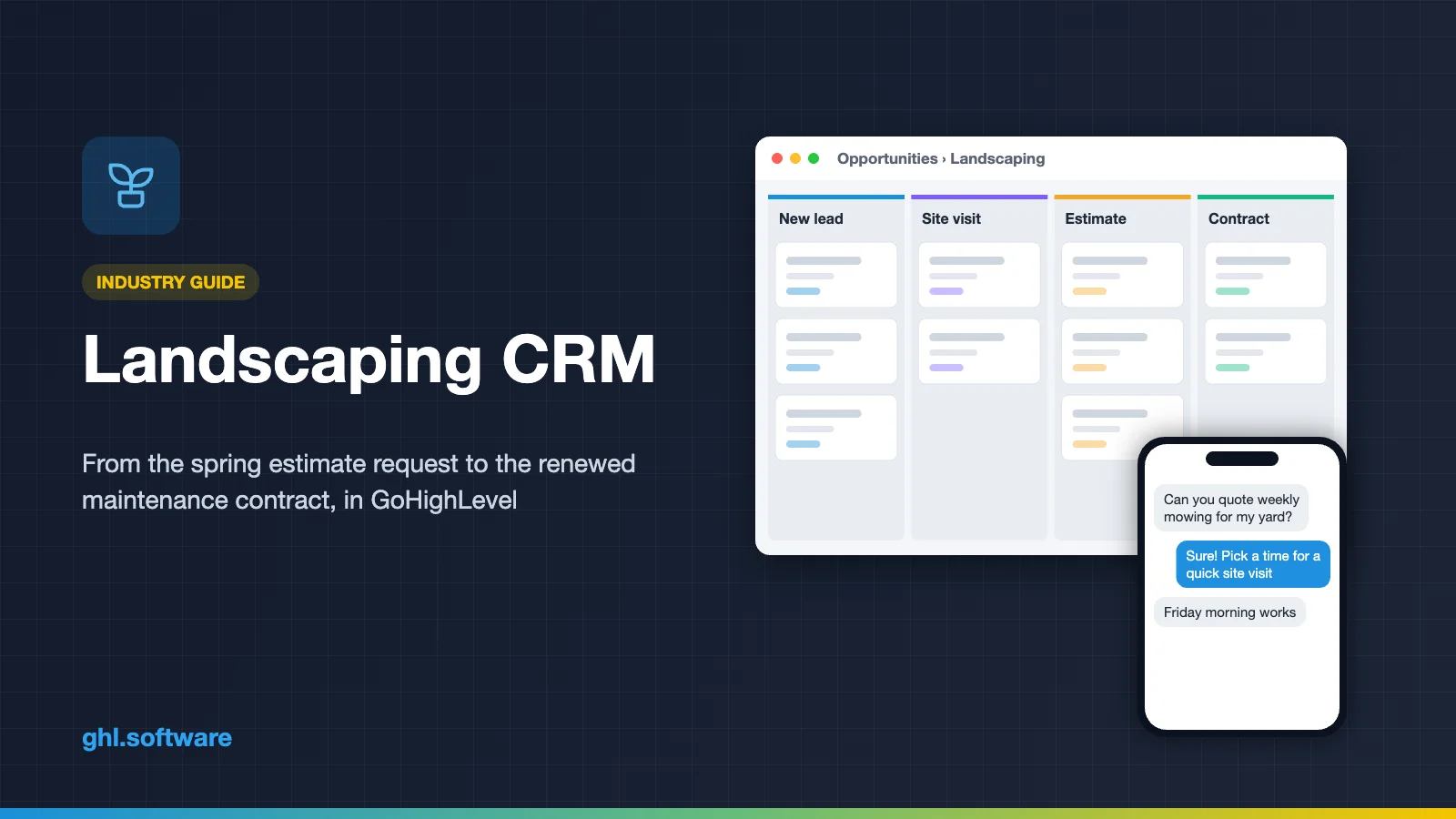
A landscaping CRM should reply to every estimate request within minutes, chase every estimate and renew every maintenance contract before the season starts. GoHighLevel covers that with missed call text back, site visit calendars, estimate follow-up workflows, renewal reminders and review requests, and the same setup works as a tree service CRM. However, it is not crew software, so keep Jobber or another field service tool for scheduling, routes and job costing.
Here is an illustrative scenario. It is the first warm Saturday of March, and a homeowner with an overgrown backyard sends estimate requests to four landscaping companies. One replies on Monday, two never answer, and one texts back within minutes with a link to book a site visit. By Wednesday, that company has a signed weekly mowing contract and a spring cleanup on the schedule. In the spring rush, speed and follow-up often matter as much as price.
This guide is for owners and office managers of lawn care, landscaping and tree service companies, and for the agencies that serve them. It shows how GoHighLevel (HighLevel) runs the sales and retention side: two pipelines, three automations, the setup order and the real cost. Then it draws an honest line around what stays in your field service software.
Part of GoHighLevel by industry
Includes a free live setup class with a HighLevel coach.
Start free + bootcampAffiliate link.
What a landscaping company needs from a CRM
Landscaping revenue comes in two shapes. Recurring maintenance, such as mowing, fertilizing and seasonal cleanups, brings steady income, while design-build projects and tree removals bring larger one-time tickets. A landscaping CRM has to win both kinds of work and then keep recurring customers year after year.
Landscaping CRM vs field service software
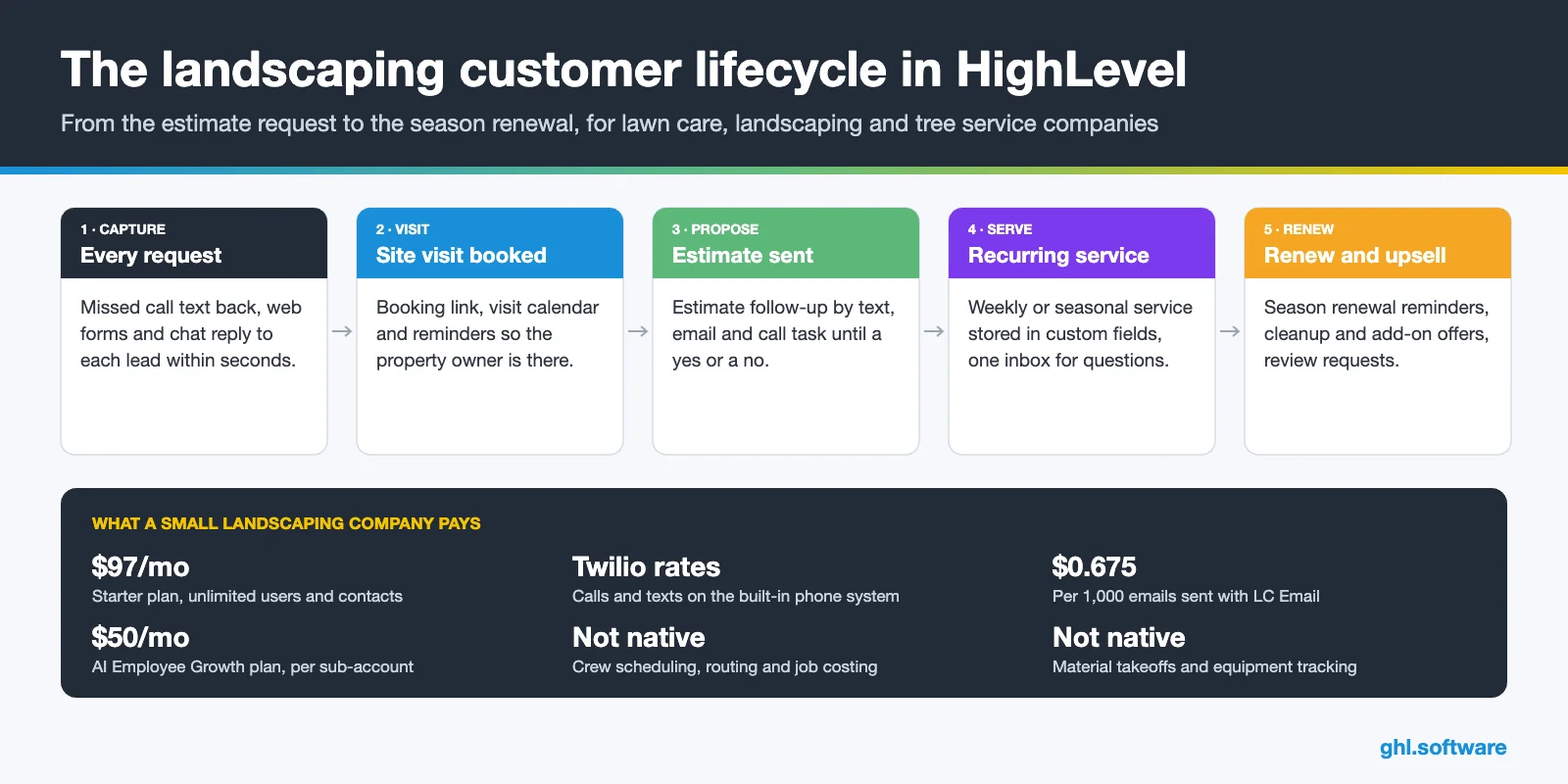
Many “best landscaping software” lists mix two kinds of tools. Platforms such as Jobber, LMN, Aspire or Service Autopilot run the operation: crew schedules, routes, work orders, time tracking and job costing. A CRM with marketing, by contrast, runs the phone, the follow-up and the retention campaigns. HighLevel belongs to the second group, so the cleanest setup for a growing company is to run both.
| Task | Where it lives | Why |
|---|---|---|
| Answering calls, texts and chats | HighLevel | Missed call text back, one inbox and AI replies |
| Estimates follow-up | HighLevel | Workflows chase every estimate until a decision |
| Crew scheduling and routes | Field software | HighLevel has no crew dispatch |
| Job costing and time tracking | Field software | Not native in HighLevel |
| Contract renewals and upsells | HighLevel | Date-based workflows and campaigns |
| Reviews and referrals | HighLevel | Review requests after the work is done |
Connecting Jobber to your landscaping CRM
Jobber is common among lawn care and landscaping companies. HighLevel’s official Jobber app syncs clients both ways, including name, email, phone, address, lead source and tags. However, custom fields, notes and attachments do not sync, and each Jobber account connects to one sub-account (see HighLevel’s Jobber guide). For other platforms, check whether they offer Zapier or an API, and decide which system owns each field before you connect them.
Tree service CRM: what changes for arborists
Tree work follows the same path as landscaping, from call to estimate to job, but with a few twists. Storms create sudden spikes of urgent calls, estimates usually need a site visit, and many jobs are one-time removals rather than recurring service. So a tree service CRM in HighLevel puts more weight on fast replies and on estimate follow-up.
- Storm surge handling. Missed call text back and an urgent-or-routine reply option sort storm calls, so the crew lead sees the dangerous ones first.
- Photo-first estimates. A form lets the property owner upload photos of the tree before the visit, which helps you plan the estimate.
- Follow-up on removals. Large quotes often wait for a second opinion, so a two-week follow-up keeps you in the conversation.
- Plant health programs. Pruning cycles and treatments can run on date fields, just like a mowing contract.
Keep safety and crew decisions with your trained staff; the CRM only handles the communication.
Common landscaping sales problems and how HighLevel handles them
Most lost work hides in the gaps between request, visit, estimate and renewal. The table maps each gap to the feature that closes it.
| Problem | What HighLevel does | Feature |
|---|---|---|
| Calls missed while crews are on site | Texts the caller back with a booking link | Missed call text back |
| Spring rush buries the office | Answers chats and texts and offers visit times | Conversation AI |
| Estimates go silent | Runs a 14-day follow-up with texts, email and a call task | Workflows |
| Property owners miss site visits | Confirms and reminds before each visit | Calendars |
| Contracts lapse over winter | Starts renewal reminders before the end date | Custom date fields + payment links |
| Few recent Google reviews | Asks every new customer for a review | Reputation management |
| Customers never hear about add-ons | Sends aeration, mulch and cleanup offers to filtered lists | SMS and email marketing |
The landscaping CRM pipeline: maintenance contracts and projects
Maintenance contracts and design-build projects move at different speeds, so give them two boards. A mowing contract can close in days, while a patio or planting project may need a design, a revised estimate and a deposit. In HighLevel, both pipelines live in the same sub-account, and each stage change in your landscaping CRM can start a workflow.
| Maintenance stage | What moves the opportunity here |
|---|---|
| New lead | A call, form, chat or ad lead creates the opportunity |
| Site visit booked | The property owner books a visit on the calendar |
| Estimate sent | The estimate for weekly or seasonal service goes out |
| Follow-up | No decision yet, so the follow-up workflow keeps running |
| Won · service started | The contract is accepted and the first visit is scheduled |
| Renewal due | The contract end date is near, so the renewal workflow starts |
A second board for design-build and tree projects
Projects get their own stages: Consultation booked, Design or estimate in progress, Estimate sent, Deposit paid, Scheduled, Completed and Reviewed. Custom fields hold the property size, project type, budget range and contract end date. As a result, the owner sees which projects slipped and which estimates need a call this week.
Three automations every landscaping company should run
These workflows cover the moments where landscaping revenue slips: the request nobody answered, the estimate nobody chased and the contract nobody renewed. Build them once, then adjust the wording to your services and your region.
Estimate request → text back → booked site visit
The trigger is a missed call or a submitted estimate form. Right away, the workflow texts a link to book a site visit and creates an opportunity in “New lead”. After 15 minutes, an if/else checks whether a visit is on the calendar. If not, the office gets a call task, and a second text follows the next morning. As a result, every lead hears from you quickly, even in the busiest week of spring.
Estimate follow-up in your landscaping CRM
This workflow starts when an opportunity moves to “Estimate sent”. The same day, the customer gets a text with the estimate and a question about timing. Two days later, an email explains what the service includes and how often crews visit. On day five, the estimator gets a call task. If nothing moves after 14 days, the deal is marked lost and the contact joins a seasonal nurture list. The workflow stops as soon as the deal is won.
Season renewal and upsell
The trigger is a date in a custom field, such as the contract end date 45 days ahead. The customer gets a text and an email with next season’s renewal and a payment link, and a call task follows if nobody replies. A few weeks later, a short campaign offers add-ons such as aeration, mulching or fall cleanup to customers with that service tag.
Start with the pipeline from this guide, then add the automations one by one. The extended trial comes with our bootcamp link.
Start the 30-day trialAffiliate link. I may earn a commission at no extra cost to you.
Texting, calls and AI for landscapers
Customers text photos of a dead patch of lawn, call during dinner and message your Facebook page about the same yard. HighLevel keeps SMS, email, calls, WhatsApp, Facebook and Instagram messages and web chat in one conversation per contact, so the office and the estimator see the same history.
For evenings and weekends, Conversation AI can answer texts and chats, and Voice AI can answer the phone and book a site visit. Still, keep pricing and anything about tree safety with a person, and review AI conversations often at first. The AI Employee pricing guide explains the monthly and pay-per-use options.
How to set up GoHighLevel as your landscaping CRM
Follow this order so the first spring lead already flows into a booked site visit. Plan a few focused days, mainly for A2P approval and the Jobber connection.
- Create the sub-account. Add your logo, service area, hours and one user for each office person, estimator and crew lead who needs access.
- Connect phone and A2P. Get a local number, register A2P 10DLC and turn on missed call text back.
- Add landscaping fields. Create custom fields for property size, service type, visit frequency, contract start date and contract end date.
- Connect or import customers. Install the Jobber app if you use Jobber, or import current customers by CSV with those fields filled in.
- Build two pipelines. Maintenance and Projects with the stages above.
- Set up calendars. Create site visit and consultation calendars with confirmations and reminders.
- Publish forms with consent. Put an estimate request form with photo upload and an SMS consent checkbox on a landing page.
- Turn on workflows, reviews and reporting. Activate the three automations, connect Google Business Profile and build a dashboard of leads by source, estimates won and contracts renewed.
What a landscaping CRM costs on HighLevel
HighLevel charges a flat plan price with unlimited users and contacts, so adding estimators or crew leads does not raise the bill. Plans run month to month with no contract. Usage, however, is billed on top: phone, email, WhatsApp and AI.
Here is an illustrative example for a small company: Starter ($97), the AI Employee Growth plan ($50) and 10,000 emails ($6.75) come to about $154 a month, before calls and texts at Twilio rates. Check current prices on HighLevel’s official pricing page, and see our pricing guide for the full breakdown.
GoHighLevel plans for a landscaping CRM
| Starter | Unlimited | |
|---|---|---|
| Price | $97/month | $297/month |
| Sub-accounts | Up to 3 | Unlimited |
| Contacts and users | Unlimited | Unlimited |
| CRM, pipelines, workflows, calendars | Yes | Yes |
| Phone system, conversations, reviews, payments | Yes | Yes |
| Contract | No, month to month | No, month to month |
Usage costs on top of the plan
| Item | Official price | When you pay it |
|---|---|---|
| Calls and SMS | Twilio rates | Every call and text on the phone system |
| Email (LC Email) | $0.675 per 1,000 emails | Campaigns and workflow emails |
| $10/month per sub-account + Meta per-message fees | If you use WhatsApp inside HighLevel | |
| AI Employee | $50 (Growth) or $97 (Unlimited) per month per sub-account, or pay-per-use | Conversation AI, Voice AI, Reviews AI and Content AI |
| Online Listings | $30/month per sub-account | Optional listings on 70+ sites |
Honest limits: what HighLevel does not do for landscapers
As a landscaping CRM, HighLevel wins the work and keeps customers coming back. However, it is not an operations system, so be clear about the gaps:
- No crew scheduling or route optimization. Daily routes and crew assignments stay in your field software.
- No job costing or time tracking. Labor hours, materials and margins per job belong in an operations tool.
- No material takeoffs or plant inventory. Measurements and supplier orders are not built in.
- No equipment tracking. Mowers, chippers and trucks need their own records.
So the cleanest stack has two layers: HighLevel for leads, follow-up, renewals and reviews, and a field service tool for crews and costs. Features change often, so confirm details on each vendor’s site.
Compliance notes for landscaping marketing
The angle most landscaping guides miss: sell next season in winter
For many landscapers, winter is the quiet season, and the office waits for spring calls. Yet that is exactly when a landscaping CRM can do its best work, because renewals and next season’s contracts can be settled before the rush.
In January or February, send last year’s customers a short renewal message with the same service, a clear start date and a payment link. Then invite past one-time customers to book a spring cleanup, and offer project customers a consultation for the next phase. Each reply lands in the same inbox, and each acceptance moves a card on the board.
As a result, you start spring with a known base of contracts instead of an empty calendar. Compare this setup with other trades in our industry guides, such as construction, or browse every module in the features hub.
Open a free account, load the pipeline and turn on the first automation today. The bootcamp walks you through the setup live.
Start the 30-day trialAffiliate link. I may earn a commission at no extra cost to you.
Frequently asked questions
What is the best CRM for landscaping companies?
It depends on where you lose money. If crew schedules, routes and job costing are the problem, a field service platform such as Jobber, LMN, Aspire or Service Autopilot is the core. If you lose jobs to slow replies, estimates nobody chases and contracts that are not renewed, HighLevel fixes that with missed call text back, follow-up workflows, renewal reminders and review requests at a flat price. Many landscapers run both.
What is a landscaping CRM?
A landscaping CRM keeps every lead and customer in one place: calls, texts, site visits, estimates, service contracts and renewal dates. It makes sure each estimate request gets a fast reply and each estimate gets a follow-up. Then it reminds you when a maintenance contract is due for renewal and when a customer is ready for an add-on service.
Does GoHighLevel integrate with Jobber?
Yes. An official Jobber app, installed by the agency admin, syncs clients both ways: first and last name, email, phone, address, lead source, tags and a few Jobber fields. Custom fields, notes and attachments do not sync, and one Jobber account connects to one sub-account. So HighLevel can win and nurture the customer while Jobber runs the visits.
Can I use HighLevel as a tree service CRM?
Yes, for the sales side. A tree service CRM in HighLevel answers storm and emergency calls fast, books estimate visits, follows up on quotes for removals and pruning, and asks for reviews after the job. It does not handle crew dispatch, equipment or job costing, so keep a field service tool for those tasks.
How much does a landscaping CRM cost on HighLevel?
The Starter plan costs $97 a month and Unlimited $297, both with unlimited users and contacts and no contract. Usage comes on top: calls and texts at Twilio rates, email at $0.675 per 1,000 and optional AI from $50 a month per sub-account. Through our bootcamp link the free trial runs 30 days, while the standard trial on the official site is 14 days.
Can a CRM handle seasonal contract renewals?
Yes, if you store the dates. Add a custom field for the contract end date, then a date-based workflow reminds the customer before the season ends, sends a renewal link or a new estimate and creates a call task if nobody answers. Renewed customers get a tag and a new end date, so next season runs the same way.
More industry guides
Sources: HighLevel pricing · HighLevel help: Jobber integration · HighLevel help: Missed Call Text Back · HighLevel help: A2P 10DLC registration