

Property Management CRM: Owners, Tenants and Maintenance in HighLevel
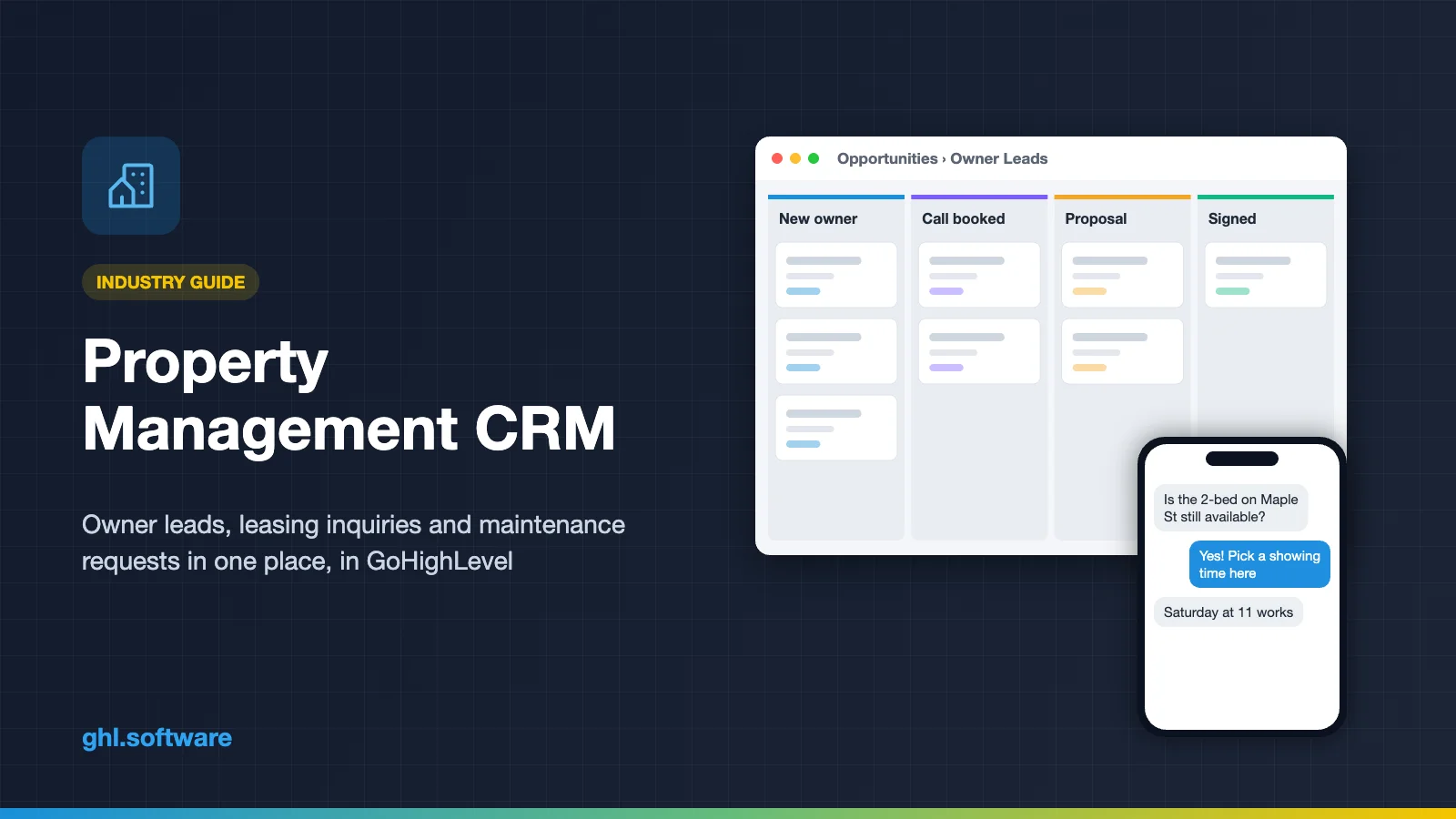
A property management CRM should win new owners, answer every leasing inquiry fast, route maintenance requests and remind you about renewals. GoHighLevel covers that with missed call text back, showing and owner call calendars, proposal follow-up workflows, request forms and date-based renewal reminders. However, it is not property management accounting software, so keep AppFolio, Buildium, Rent Manager or similar for rent, trust accounting and work orders.
Here is an illustrative scenario. A landlord who owns three duplexes is tired of late-night calls about leaking faucets and fills in an owner inquiry form on two management company websites. One company calls back four days later. The other texts within minutes, books a 20-minute discovery call for the next morning and sends a short proposal the same afternoon. By Friday, the second company manages six more units.
This guide is for residential property managers, small rental management companies and the agencies that serve them. It shows how GoHighLevel (HighLevel) handles owner acquisition, leasing inquiries, maintenance intake and renewals. If you sell homes rather than manage rentals, see our CRM for real estate guide instead.
Part of GoHighLevel by industry
Includes a free live setup class with a HighLevel coach.
Start free + bootcampAffiliate link.
What a property management company needs from a CRM
Property managers deal with three groups at once: owners who pay the fee, renters who fill the units and vendors who keep buildings running. Each group writes, calls and texts at all hours. A property management CRM therefore has to separate those conversations, respond fast and make sure nothing falls between the office and the field.
Property management CRM vs property management software
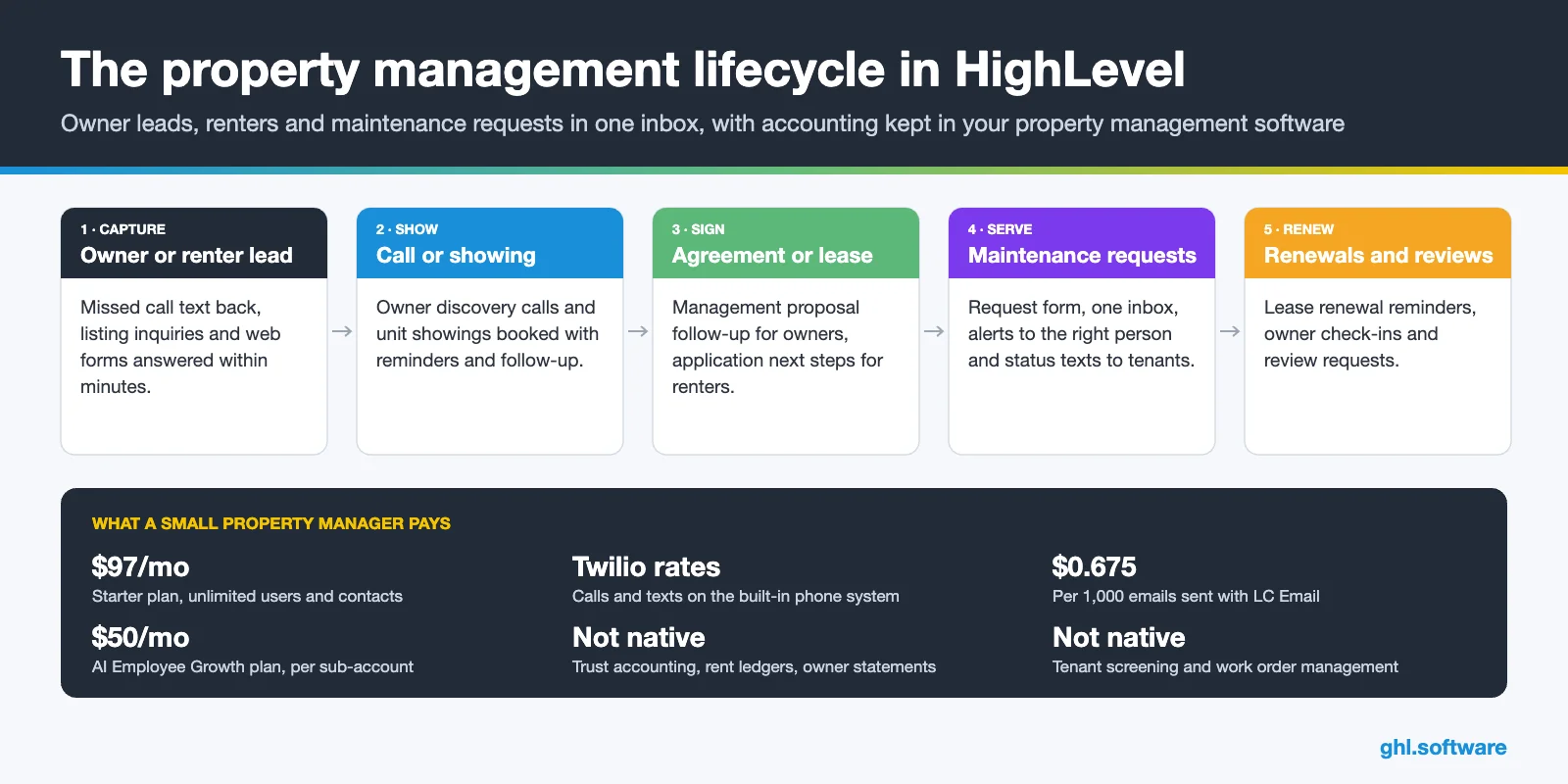
Most lists of “property management software” compare platforms such as AppFolio, Buildium, Rent Manager, Yardi or DoorLoop. Those tools run the back office: rent collection, ledgers, owner statements, screening and work orders. A CRM with marketing, by contrast, runs growth and communication: owner leads, leasing follow-up and reminders. HighLevel belongs to the second group, so the cleanest setup is to run both.
| Task | Where it lives | Why |
|---|---|---|
| Owner leads and proposals | HighLevel | Pipelines and follow-up workflows |
| Leasing inquiries and showings | HighLevel | Fast replies, booking links and reminders |
| Maintenance request intake | HighLevel | Forms, alerts and status texts to tenants |
| Rent collection and trust accounting | PM software | Not a HighLevel feature |
| Tenant screening and leases | PM software | Not native in HighLevel |
| Work orders and vendor billing | PM software | Detailed work orders are not native |
Common property management problems and how HighLevel handles them
The table maps common gaps in a property management business to the HighLevel feature that closes each one.
| Problem | What HighLevel does | Feature |
|---|---|---|
| Leasing calls missed during showings | Texts the caller back with a showing link | Missed call text back |
| After-hours renter questions | Answers availability and showing questions by chat or text | Conversation AI |
| Owner proposals go silent | Runs a 14-day follow-up with texts, email and a call task | Workflows |
| Maintenance requests by phone, text and email | Collects every request in one form and one inbox | Forms + conversations |
| Showing no-shows | Confirms and reminds before each showing | Calendars |
| Lease renewals discovered too late | Starts reminders 90 days before the lease end date | Custom date fields |
| Few owner reviews | Asks satisfied owners for a review | Reputation management |
The property management CRM pipeline: owner acquisition
The most valuable pipeline for a property manager is the one that brings in new doors. Each card is an owner prospect, with the number of units, property type and expected fee. In HighLevel, each stage change in your property management CRM can start a workflow.
| Owner stage | What moves the opportunity here |
|---|---|
| New owner lead | A form, call, referral or ad lead creates the opportunity |
| Discovery call booked | The owner books a call or a property walk-through |
| Proposal sent | The management proposal and fee schedule go out |
| Follow-up | No decision yet, so the follow-up workflow keeps running |
| Agreement signed | The owner signs the management agreement |
| Onboarded | Properties are set up in your PM software; lost owners go to nurture |
A second board for leasing
Leasing gets its own board: Inquiry, Showing booked, Showed, Application sent, Approved and Lease signed. Store the unit, move-in date and lease end date in custom fields. That way, the leasing agent sees which renters need a nudge, and the lease end date can trigger renewals later.
Three automations every property manager should run
These property management CRM workflows cover the moments where doors and renters slip away: the inquiry nobody answered, the owner proposal nobody chased and the maintenance request that got lost.
Leasing inquiry → text back → booked showing
The trigger is a missed call, a listing inquiry or a website form. Right away, the renter gets a text with a link to book a showing for that unit, and an opportunity appears in “Inquiry”. After an hour without a booking, the leasing agent gets a call task. Showing reminders follow 24 hours and 2 hours before. As a result, every renter gets a fast answer, even when the team is out showing other units.
Owner proposal follow-up
This workflow starts when an owner opportunity moves to “Proposal sent”. The same day, the owner gets a text asking whether the proposal arrived. Two days later, an email explains how onboarding works and what owners receive each month. On day five, the business development manager gets a call task. After 14 days of silence, the owner moves to a long-term nurture list with quarterly market updates. The workflow stops when the agreement is signed.
Maintenance request intake and status texts
The trigger is a submitted maintenance form. The workflow tags the request by property and urgency, texts the tenant a confirmation and alerts the maintenance coordinator. Urgent issues, such as no heat or an active leak, create an immediate call task. When the coordinator updates the status, the tenant gets a short text, so fewer tenants call to ask what is happening. The work order itself stays in your PM software.
Start with the pipeline from this guide, then add the automations one by one. The extended trial comes with our bootcamp link.
Start the 30-day trialAffiliate link. I may earn a commission at no extra cost to you.
Texting, calls and AI for property managers
Renters text about showings, tenants call about repairs and owners email about statements, often on the same day. HighLevel keeps SMS, email, calls, WhatsApp, Facebook and Instagram messages and web chat in one conversation per contact. With role tags, the leasing agent, the maintenance coordinator and the owner manager each work their own queue.
Conversation AI can answer availability and showing questions after hours, and Voice AI can answer the phone, book a showing or take a maintenance message. However, keep emergency decisions with a person on call, and review AI answers so every renter gets the same information. The AI Employee pricing guide explains the options.
How to set up GoHighLevel as your property management CRM
Follow this order so the first leasing inquiry and the first owner lead already flow into booked appointments.
- Create the sub-account. Add your logo, service area, hours and users for leasing, maintenance and business development.
- Connect phone and A2P. Get a local number, register A2P 10DLC and turn on missed call text back.
- Add property fields. Create fields for role, property, unit, lease end date, management agreement date and number of units.
- Import contacts. Import owners and current residents by CSV with those fields filled in, and tag each by role.
- Build two pipelines. Owner acquisition and Leasing with the stages above.
- Set up calendars and forms. Create showing and owner call calendars, plus an owner inquiry form and a maintenance request form on a landing page.
- Turn on the three workflows. Start with leasing response, then owner follow-up, then maintenance intake.
- Add renewals and reporting. Add lease renewal reminders and build a dashboard of owner leads, doors won and showings booked.
What a property management CRM costs on HighLevel
HighLevel charges a flat plan price with unlimited users and contacts, so adding leasing agents or thousands of residents does not raise the bill. Plans run month to month with no contract. Usage, however, is billed on top: phone, email, WhatsApp and AI.
Here is an illustrative example for a small company: Starter ($97), the AI Employee Growth plan ($50) and 10,000 emails ($6.75) come to about $154 a month, before calls and texts at Twilio rates. Check current prices on HighLevel’s official pricing page, and see our pricing guide for the full breakdown.
GoHighLevel plans for a property management CRM
| Starter | Unlimited | |
|---|---|---|
| Price | $97/month | $297/month |
| Sub-accounts | Up to 3 | Unlimited |
| Contacts and users | Unlimited | Unlimited |
| CRM, pipelines, workflows, calendars | Yes | Yes |
| Phone system, conversations, reviews, payments | Yes | Yes |
| Contract | No, month to month | No, month to month |
Usage costs on top of the plan
| Item | Official price | When you pay it |
|---|---|---|
| Calls and SMS | Twilio rates | Every call and text on the phone system |
| Email (LC Email) | $0.675 per 1,000 emails | Owner updates, resident notices and workflow emails |
| $10/month per sub-account + Meta per-message fees | If residents or owners prefer WhatsApp | |
| AI Employee | $50 (Growth) or $97 (Unlimited) per month per sub-account, or pay-per-use | Conversation AI, Voice AI, Reviews AI and Content AI |
| Online Listings | $30/month per sub-account | Optional business listings on 70+ sites |
Honest limits: what stays in your property management software
As a property management CRM, HighLevel wins owners and keeps communication moving. However, it is not an accounting or leasing platform, so be clear about the gaps:
- No trust accounting or owner statements. Rent ledgers, security deposits and owner payouts stay in your PM software.
- No tenant screening. Background and credit checks need a dedicated screening service.
- No full work order management. Vendor dispatch, invoices and cost tracking belong in your PM software.
- No listing syndication to rental sites. Publish vacancies from your PM software and send inquiries into HighLevel.
Features change often, so confirm details with each vendor before you decide.
Compliance notes for property management marketing
The angle most property management guides miss: grow doors, not just leases
Most software guides for property managers focus on day-to-day operations. Yet the business grows only when new owners sign management agreements, and that is pure sales work: answering fast, following up and staying in touch for months.
So treat owner acquisition as its own system. Tag every accidental landlord, investor and referral partner, then send a short market update each quarter with rent trends from your own portfolio and a link to book a call. When an owner is unhappy with their current manager, your name is already in their inbox.
Investors who buy rentals are also a good source of owner leads; see our real estate investor CRM guide. Compare more setups in our industry guides, or browse every module in the features hub.
Open a free account, load the pipeline and turn on the first automation today. The bootcamp walks you through the setup live.
Start the 30-day trialAffiliate link. I may earn a commission at no extra cost to you.
Frequently asked questions
What is a property management CRM?
A property management CRM keeps owner leads, renters, applicants, vendors and their conversations in one place. It answers leasing inquiries fast, books showings and owner calls, follows up on management proposals and reminds you about lease and owner renewals. Accounting, rent ledgers and work orders usually stay in your property management software.
Can HighLevel replace AppFolio, Buildium or Rent Manager?
No. HighLevel has no trust accounting, rent ledgers, owner statements, tenant screening or full work order management. Keep your property management software for those tasks, and use HighLevel for owner acquisition, leasing follow-up, maintenance request intake and communication. Many managers run both and connect them through forms, the API or a tool such as Zapier where available.
How do I get more property management owner leads with a CRM?
Answer every owner inquiry quickly, book a discovery call and follow up on every management proposal. In HighLevel, a form or a missed call creates the lead, a workflow books the call and a proposal follow-up runs until the owner decides. Long-term nurture with market updates keeps you in touch with owners who are not ready yet.
Can tenants submit maintenance requests through HighLevel?
Yes, with a form that collects the unit, the issue, photos and the best time to enter. A workflow tags the request, alerts the right person and texts the tenant a confirmation. For urgent issues, the form can trigger a call task right away. Detailed work orders, vendor billing and cost tracking still belong in your property management software.
How much does a property management CRM cost on HighLevel?
The Starter plan costs $97 a month and Unlimited $297, both with unlimited users and contacts and no contract. Usage comes on top: calls and texts at Twilio rates, email at $0.675 per 1,000 and optional AI from $50 a month per sub-account. Through our bootcamp link the free trial runs 30 days, while the standard trial on the official site is 14 days.
What is the difference between a property management CRM and a real estate CRM?
A real estate CRM helps agents sell homes: buyer and seller leads, showings for sales, listings and closings. A property management CRM serves rentals: owners who need a manager, renters who need a home, maintenance requests and renewals. HighLevel can run both, but with different pipelines, fields and workflows.
More industry guides
Sources: HighLevel pricing · HighLevel help: Missed Call Text Back · HighLevel help: A2P 10DLC registration