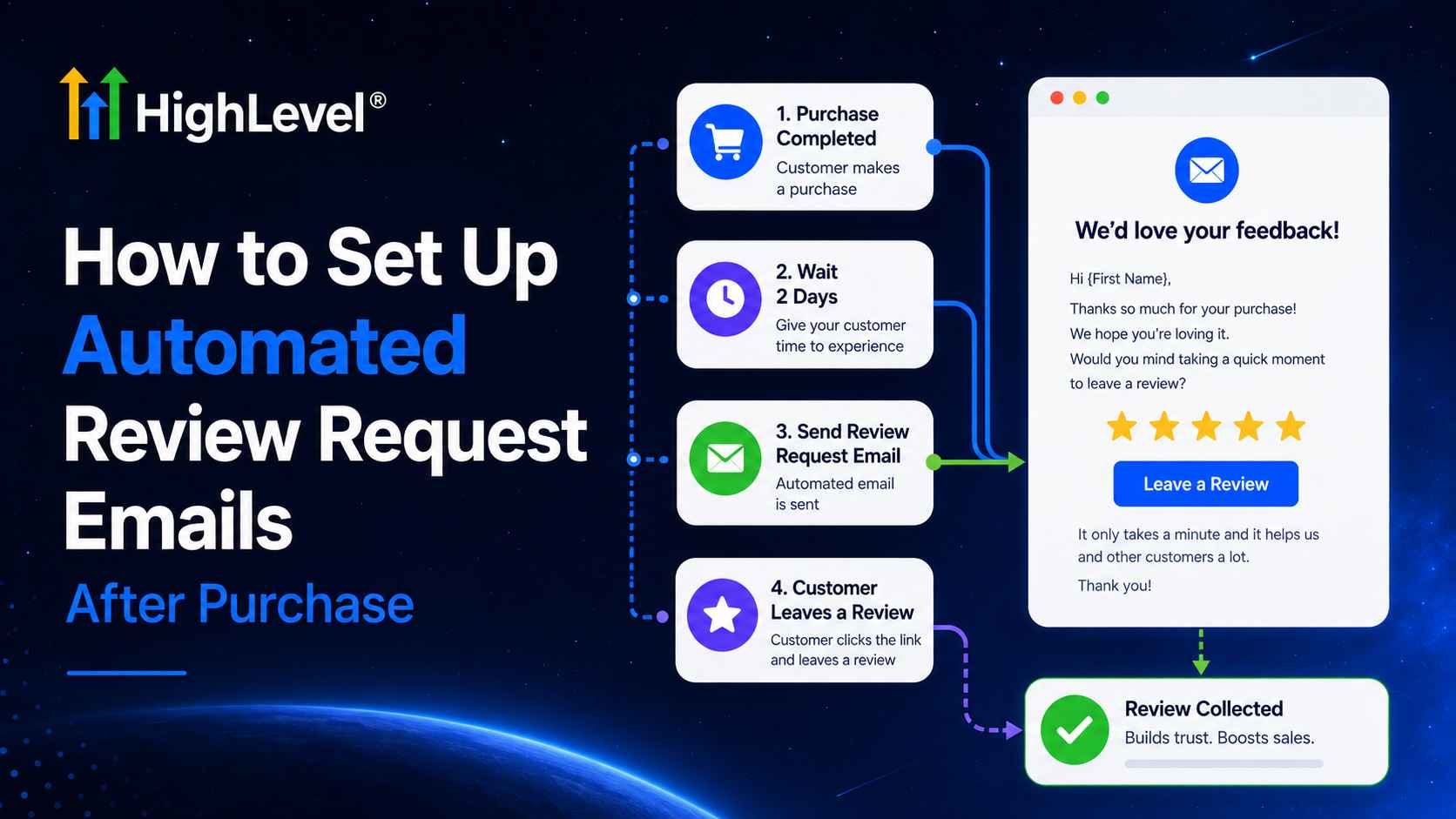
To set up automated review request emails after purchase, do not trigger the request blindly at checkout. First decide when the customer has had enough time to receive and experience the product. Then build a workflow that verifies eligibility, waits for the right milestone, sends a clear email, follows up once if appropriate, and exits after engagement or an exception.
Purchase, fulfillment and experience are different moments
The most common mistake is asking for a product review seconds after payment. The customer cannot provide useful feedback yet. Choose the trigger based on what is being reviewed:
- Digital download: wait long enough to use the resource.
- Physical product: use fulfilled/delivered status or a realistic shipping-plus-usage delay.
- Course or membership: wait for access plus an engagement milestone.
- Service paid online: trigger after service completion, not deposit payment.
- Repeat consumable: time the request before replenishment but after meaningful use.
What should the email ask the customer to review?
Distinguish a product review from a business/location review. A product review belongs on the product/store experience. A Google Business Profile review should reflect a genuine experience with the business or location. Do not mislabel the destination.
Step-by-step HighLevel tutorial
Step 1: Create a dedicated workflow
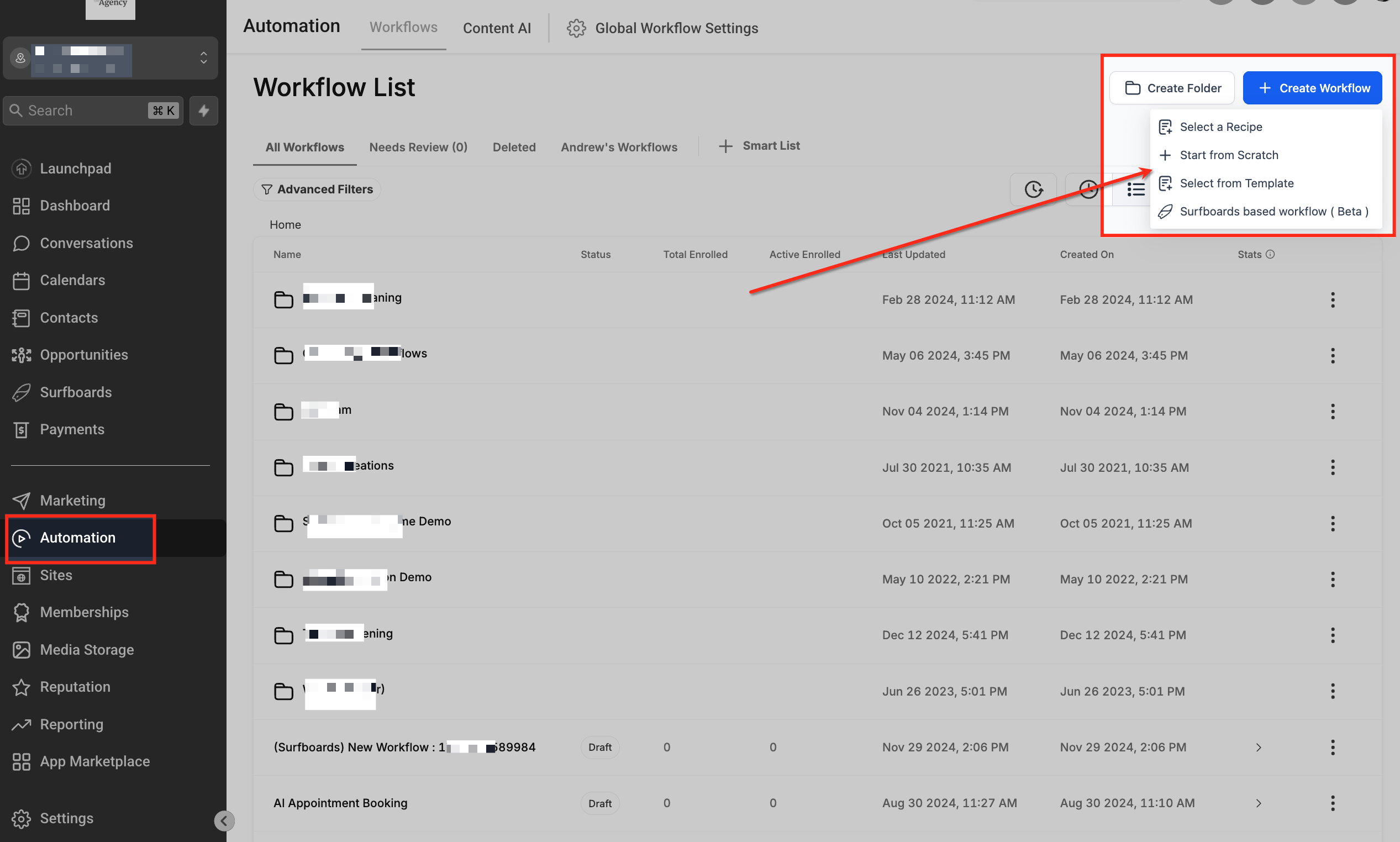
Go to Automation → Workflows → Create Workflow → Start from scratch. Name it “Post-Purchase Review Email – [Product/Store] – v1.” Keep it separate from order confirmations so changing the review timing cannot interrupt essential receipts.
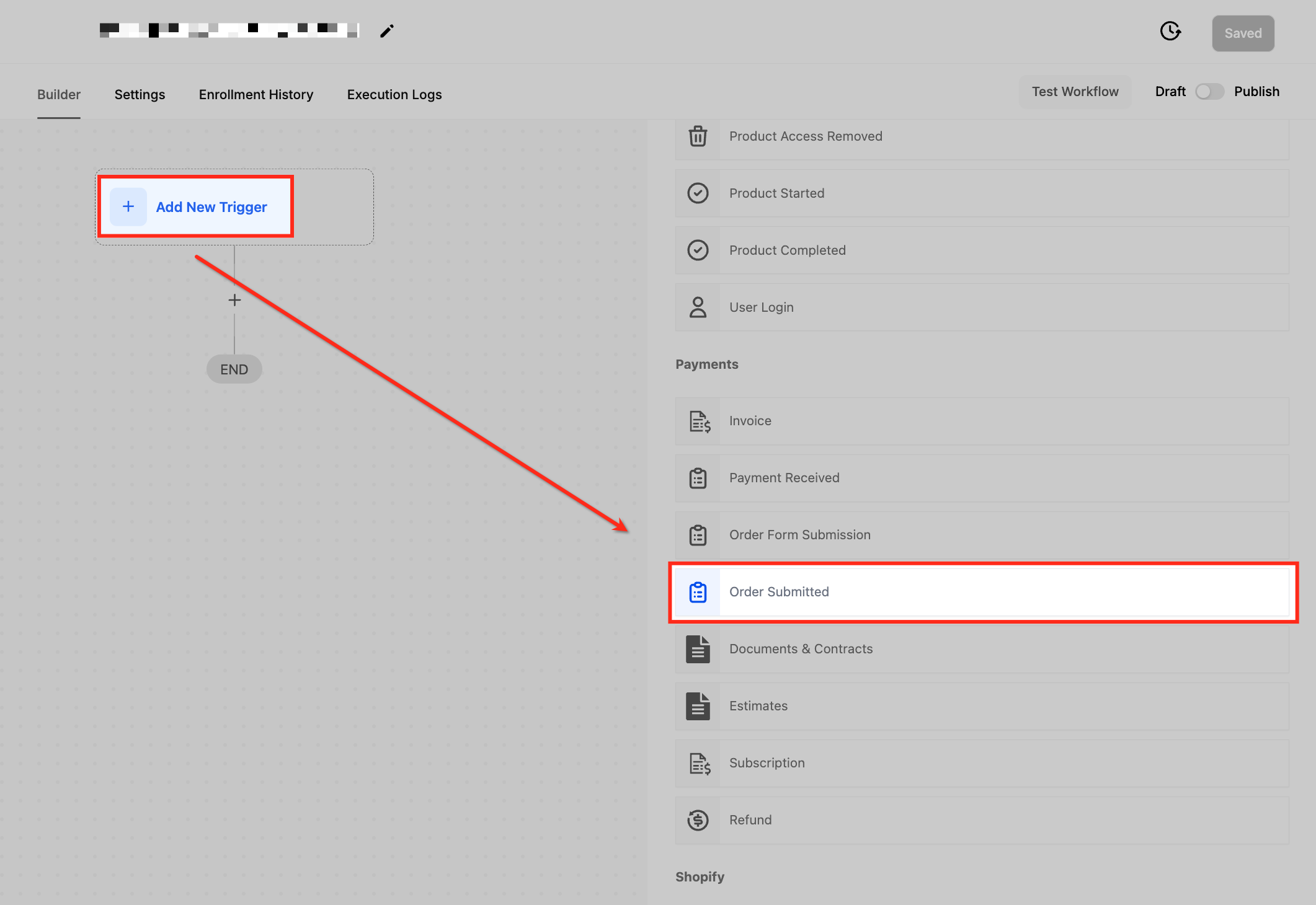
Step 2: Select Order Submitted—or a later fulfillment event
Add the Order Submitted trigger when you need product, price, source, funnel, page, or submission-type filters. HighLevel distinguishes this from Order Form Submitted: Order Submitted represents an actual order/payment event and carries richer order details. For a physical store, an Order Fulfilled trigger may better represent the start of the waiting period.
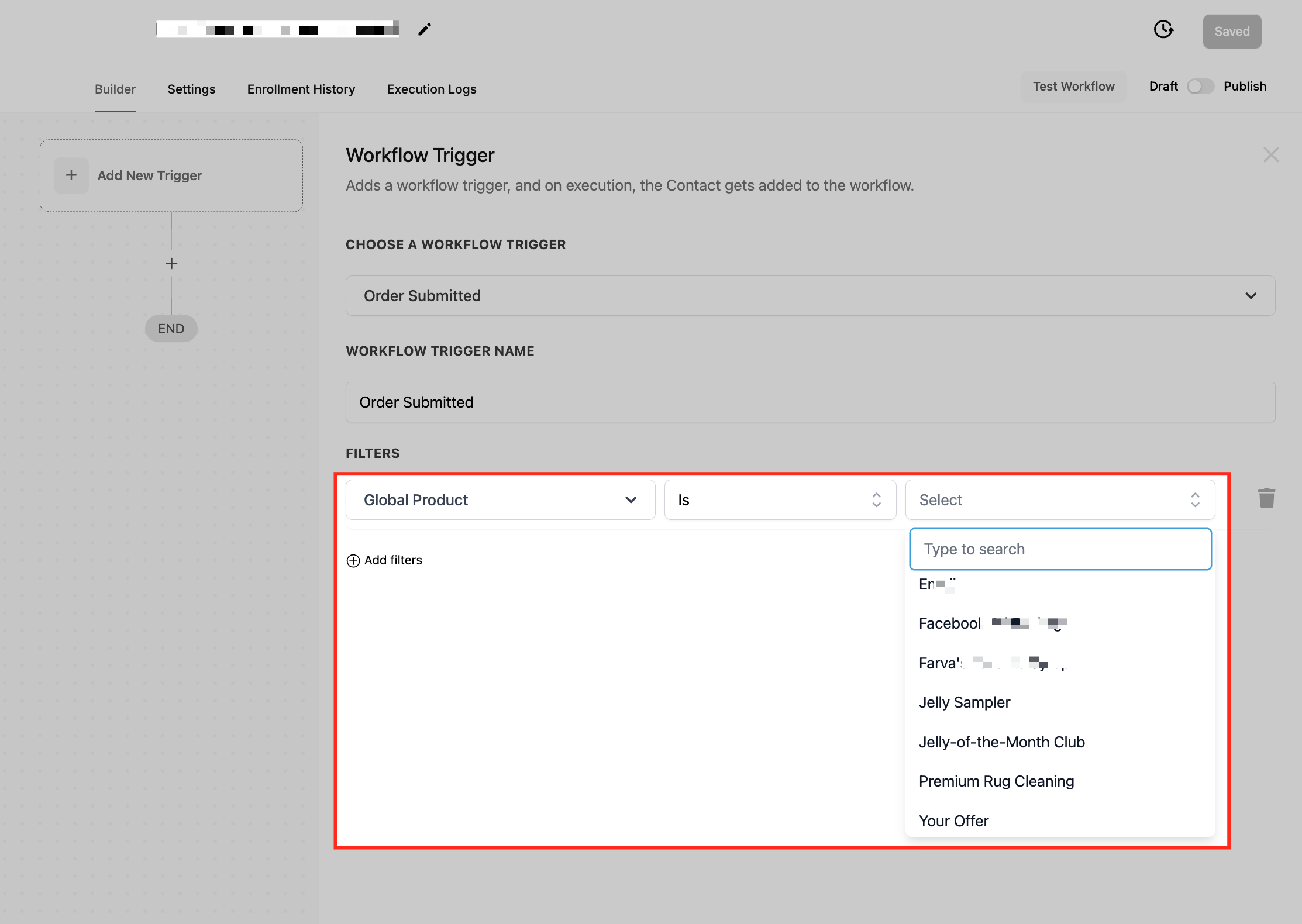
Step 3: Add precise filters
Filter by Global Product, order source, funnel/website, page, submission type, or price when the workflow should not run for every order. Exclude test products, free internal transactions, canceled/refunded orders, chargebacks, and products that require a different usage period.
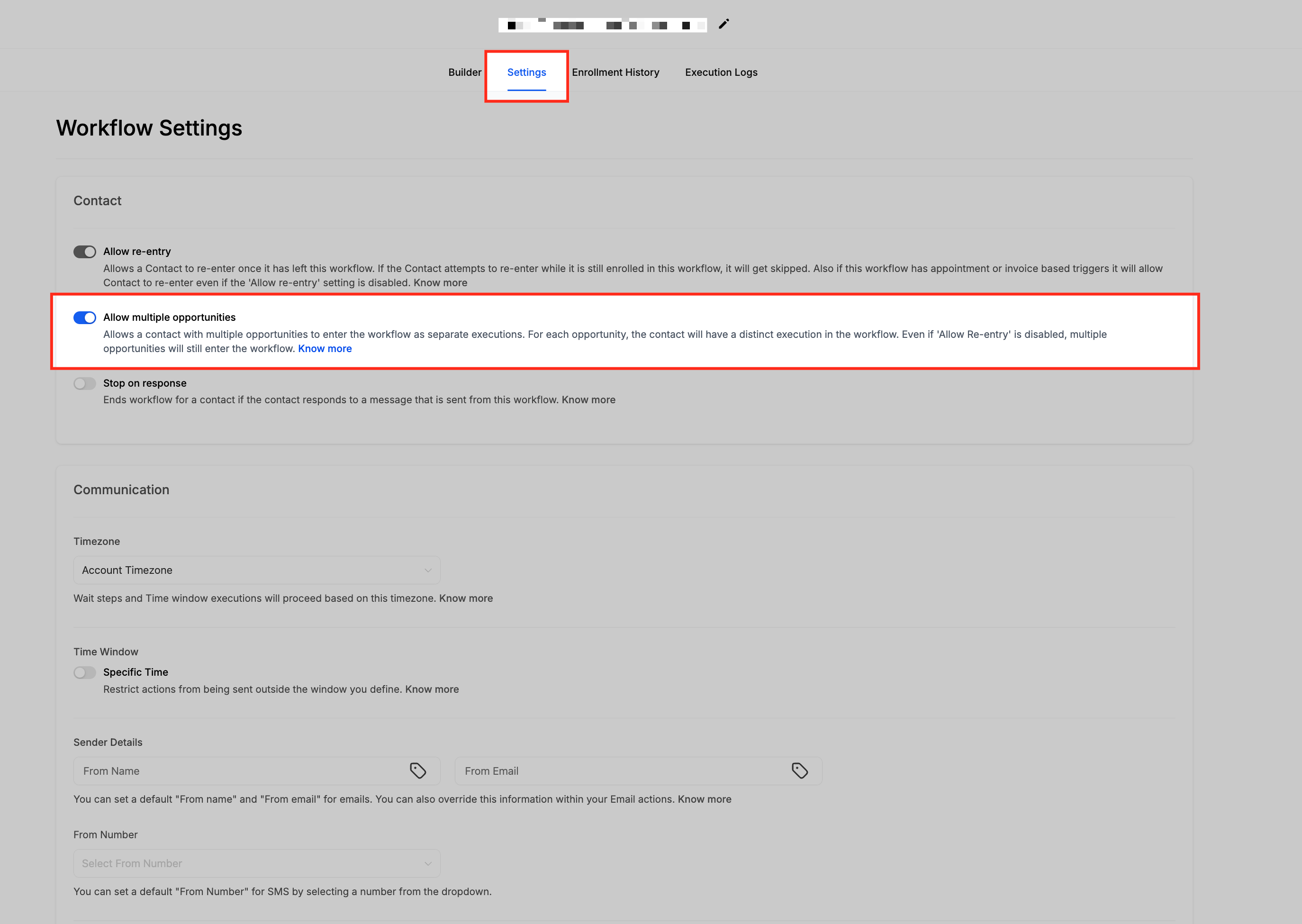
Step 4: Configure repeat entry correctly
If customers can buy again, decide whether they should re-enter. HighLevel’s Allow Multiple setting lets the same contact trigger separate workflow instances, including primary and upsell purchases. Add safeguards so one order with several items does not produce several requests at the same moment.
Step 5: Wait until the product has been experienced
Add a Wait action based on delivery data where available or a conservative time delay. Document the assumption. For example, do not use “7 days” for every destination if international shipping frequently takes longer.
Step 6: Recheck eligibility immediately before sending
Add an If/Else step. Continue only when the order remains valid, the customer has not opted out, the email address is valid, and the same purchase has not already been reviewed/requested. Tagging the order or contact after sending can support deduplication.
Step 7: Build the email
Use one clear CTA. Mention the purchased product or experience, explain that honest feedback is welcome, and link directly to the intended destination. Do not preselect five stars, write the review for the customer, or promise a reward.
Hi {{contact.first_name}},
Thank you for your purchase. Now that you have had time to try {{custom_values.product_name}}, would you share your honest experience? Your feedback helps future customers understand what to expect and helps our team improve.
[Share your experience]
Thank you,
{{location.name}}
Step 8: Add one measured reminder
Wait three to seven days, check whether the review link was clicked or the customer replied, then send a shorter reminder only to eligible contacts. Avoid changing channels automatically unless consent and your communication policy support it.
Step 9: Test before publishing
Run test orders for the primary product, bump, upsell, refund/cancel case, missing email, repeat purchase, and click/no-click paths. Review Workflow History, links, personalization, mobile layout, unsubscribe behavior, and final destination.
Automate post-purchase review emails
Use HighLevel order triggers, waits, filters, email, CRM data and Reputation Management in one workflow.
Start Your 30-Day HighLevel Trial
Affiliate disclosure: we may earn a commission if you use this link. Email and other usage charges may apply.
Timing examples
- Instant-access template: 3–7 days after access.
- Online course: after first module completion or 10–21 days.
- Skincare: after a reasonable usage period, not one day after delivery.
- Simple household item: several days after confirmed delivery.
- Custom product: after delivery and acceptance.
These are hypotheses, not universal rules. Track click, review, refund, complaint, and unsubscribe rates by timing cohort.
Common mistakes
- Using checkout as proof that the customer can evaluate the product.
- Mixing receipts and promotional review requests in one fragile workflow.
- Sending one request per line item in a multi-product order.
- Ignoring refunds, cancellations, chargebacks, and delivery failures.
- Asking for a Google review when the email promises a product review.
- Offering a coupon or giveaway in exchange for a review.
- Sending reminders after a click, reply, opt-out, or completed review.
Frequently asked questions
Should the request send immediately after purchase?
Usually no. Send the confirmation immediately, but delay the review request until the customer can reasonably evaluate the product or service.
Which HighLevel trigger should I use?
Order Submitted is useful for paid-order and product filters. Order Fulfilled may be better for physical goods. Service businesses should often use an appointment or job-completion event.
Can I include a discount?
Do not offer a benefit in exchange for a Google review. For other review platforms, check their policy and applicable law before designing any incentive.
How many emails should I send?
Start with an initial request and one reminder. Add more only when evidence shows value without increasing complaints, opt-outs, or policy risk.
Make the request match the real customer journey
The safest way to set up automated review request emails after purchase is to treat payment as data—not automatically as the moment to ask. Tie the email to actual experience, keep the request neutral, and test the exceptions as carefully as the happy path.
Build your post-purchase workflow
Start with one product, one timing hypothesis, one clear email and complete testing.
Start Your 30-Day HighLevel Trial
Affiliate disclosure: we may earn a commission if you use this link, at no additional cost to you.
Related Posts