
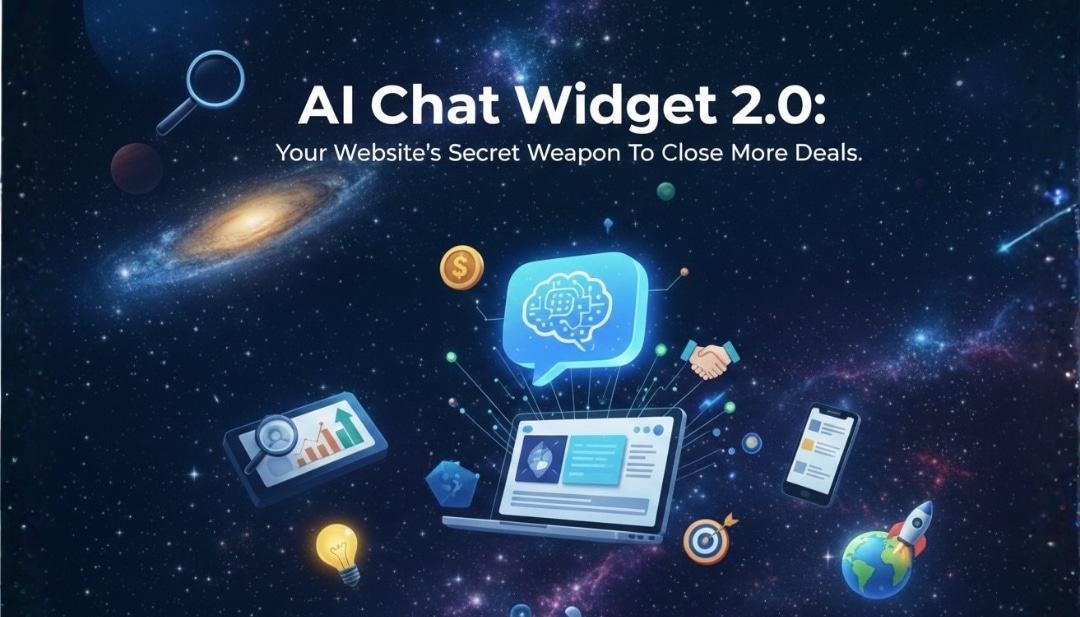
A chat widget is the small chat bubble on a website that lets visitors message your business instantly. It looks simple, but it can be one of the highest-leverage conversion tools on your site.
Traditional chat widgets helped, but they were built for a different era. They usually depend on live agents, limited scripts, or slow handoffs that frustrate visitors who want answers now.
That’s why the market is shifting to the AI-powered chat widget. Instead of “message us and wait,” you get real-time conversations that guide users, qualify leads, and trigger automations—without adding headcount.
If you want more leads, faster response times, and fewer support tickets, the chat widget is no longer optional. It’s infrastructure.
Table of contents
What is Chat Widget ?
A chat widget is an embedded website tool that enables two-way messaging between a visitor and your business. It typically appears as a chat icon in the corner of the page.
A traditional chat widget usually connects visitors to a human agent (when available) or uses basic rules like buttons and scripted replies. It works, but it breaks when conversations get nuanced.
An AI chat widget uses artificial intelligence to understand intent, answer questions naturally, and keep context across multiple messages. It feels less like software and more like a helpful assistant.
Common modern use cases include answering FAQs, booking appointments, capturing lead details, supporting checkout questions, and routing conversations to the right team.
Why do businesses need a chat widget?
24/7 availability.
An AI chat widget is always on, even when your team isn’t. That matters because leads don’t only show up during office hours.
Instant response
Speed wins. When visitors get answers immediately, they stay on the site longer and are more likely to convert.
Automatic lead qualification
Instead of asking your team to chase every inquiry, an automated chat widget can ask qualifying questions, capture details, and segment leads by intent.
Reduced human support load
Your team should focus on complex cases, not repeat the same answers all day. AI handles the repetitive questions at scale.
Better user experience
A website chat widget gives visitors a fast path to clarity. Fewer clicks, less friction, more confidence.
Higher conversions
When objections are handled in real time—pricing, availability, next steps—visitors move forward instead of bouncing.
How GoHighLevel chat widget work?
GoHighLevel is not a chat plugin. It’s an all-in-one system where your CRM chat widget is connected to contact records, pipelines, workflows, and omnichannel messaging.
Using the All-In-One Chat widget, you can combine Live Chat, SMS/Email, WhatsApp, Facebook, Instagram, and even Voice AI into one chat experience. All messages are routed into your HighLevel Conversations inbox — so nothing gets lost.
This widget can be trained with your FAQs and business content so it responds contextually. AI can greet users and answer questions even when your team is offline — improving responsiveness and reducing support load.
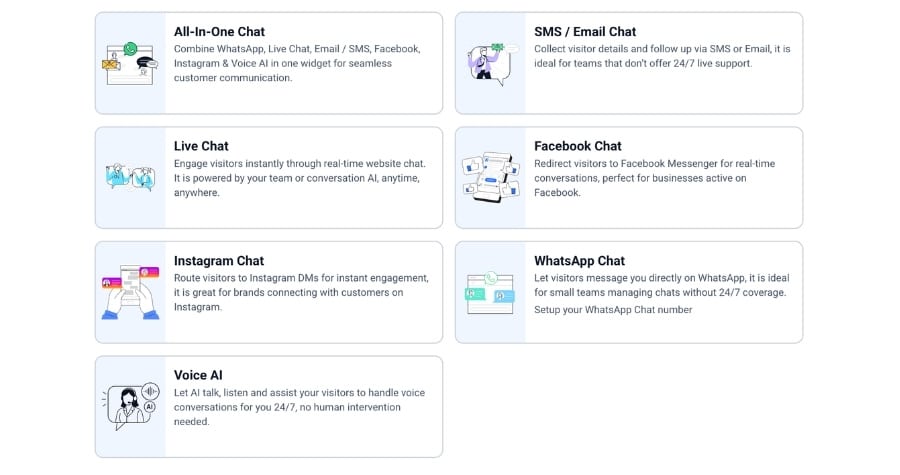
Different widget types include:
- All-In-One Chat
- SMS/Email Chat
- Live Chat
- Facebook Messenger Chat
- Instagram DM Chat
- WhatsApp Chat
- Voice AI Chat (browser-based voice interactions)
Each type serves different engagement needs, from callback leads to real-time voice conversations.
How to set up a chat widget in GoHighLevel?
Here’s how to implement a GoHighLevel chat widget without coding:
Step 1 – Access Chat Widgets
Go to Sites > Chat Widget in your GoHighLevel dashboard.
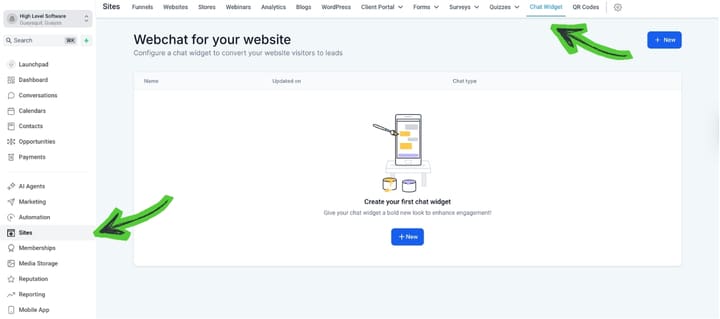
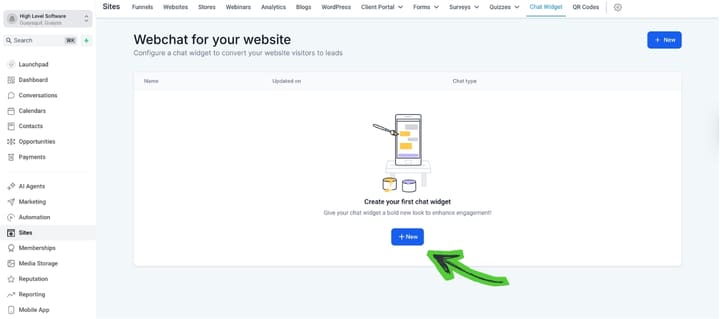
Step 2 – Create New Chat Widget
Click New and choose the chat type (e.g., All-In-One Chat, Live Chat).
Step 3 – Select Chat Type
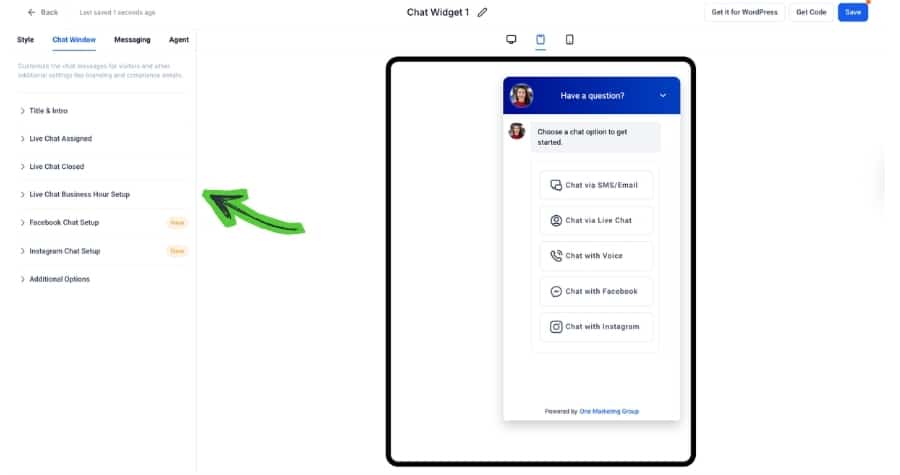
Choose the mix of channels you want — Live Chat, SMS/Email, WhatsApp, Instagram, etc.
Step 4 – Customize Style
Set colors, avatar, placement, welcome messages, and contact form behavior.
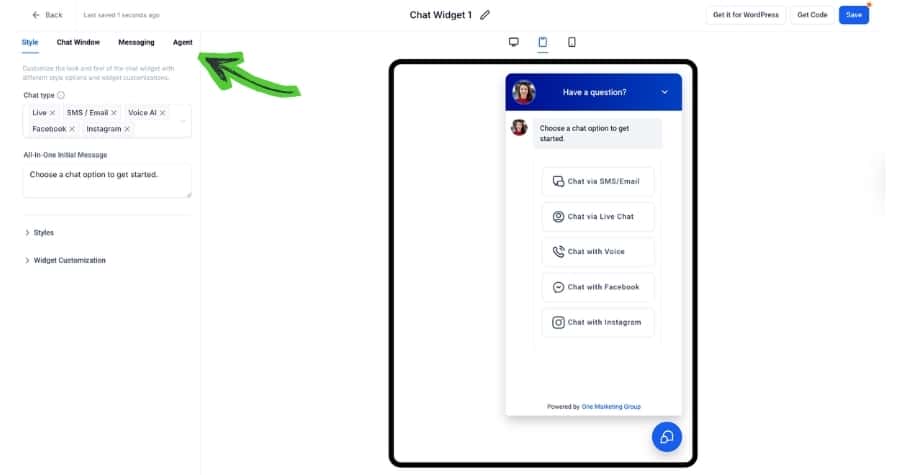
Step 5 – Configure Messaging
Set greeting text, input field behavior, language, and acknowledgment messages.
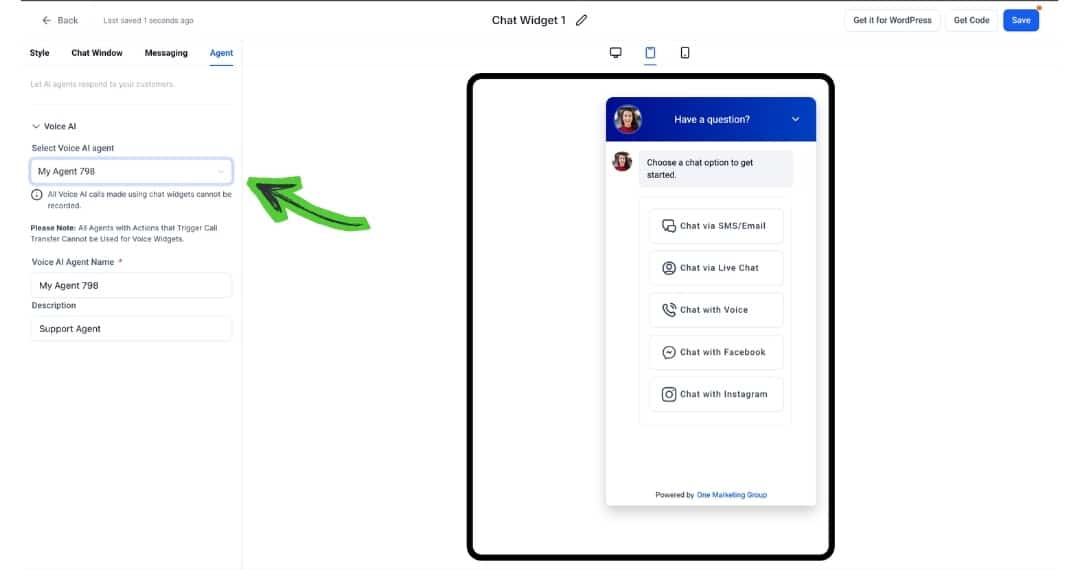
Step 6 – (If AI-Enabled) Select Voice/Agent Options
For AI or voice modes, choose the AI agent name and description.
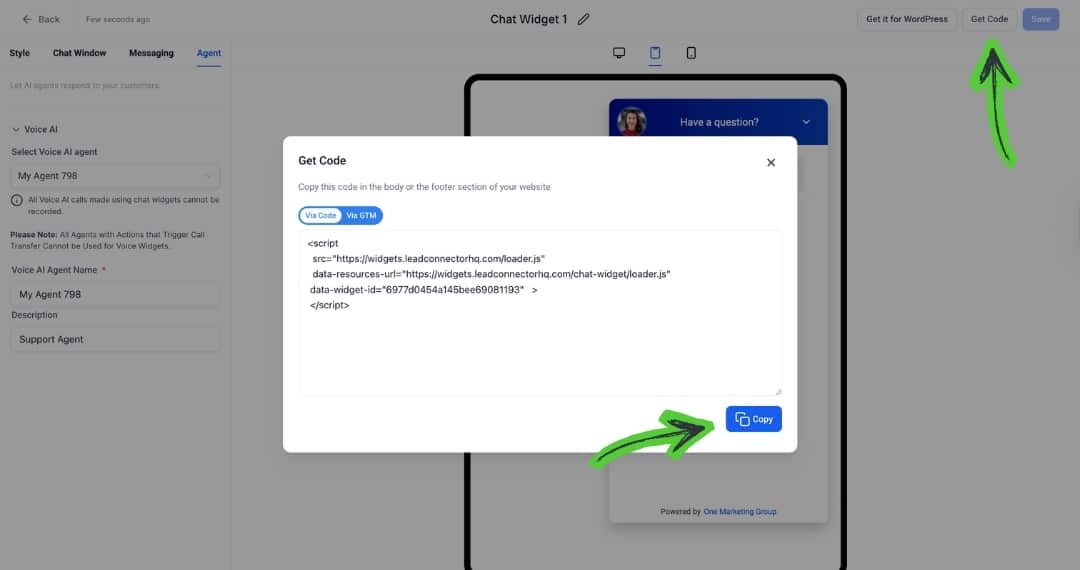
Step 7 – Install the Widget
Copy the embed code and paste it into your website via CMS, Google Tag Manager, or your builder.
That’s all — the chat widget is now live and ready to engage visitors.
If your goal is faster responses, more leads, and better conversions, an AI-powered chat widget is one of the smartest investments your website can make.
GoHighLevel’s chat widget is fully integrated with CRM and omnichannel messaging, giving you one platform to handle engagement, capture, qualification, and workflow automation.
Start your free trial of GoHighLevel today, configure your chat widget, and connect it to your sales and support systems.
Your visitors are asking questions — make sure your business answers them instantly, intelligently, and in a way that drives results.
Related Posts